

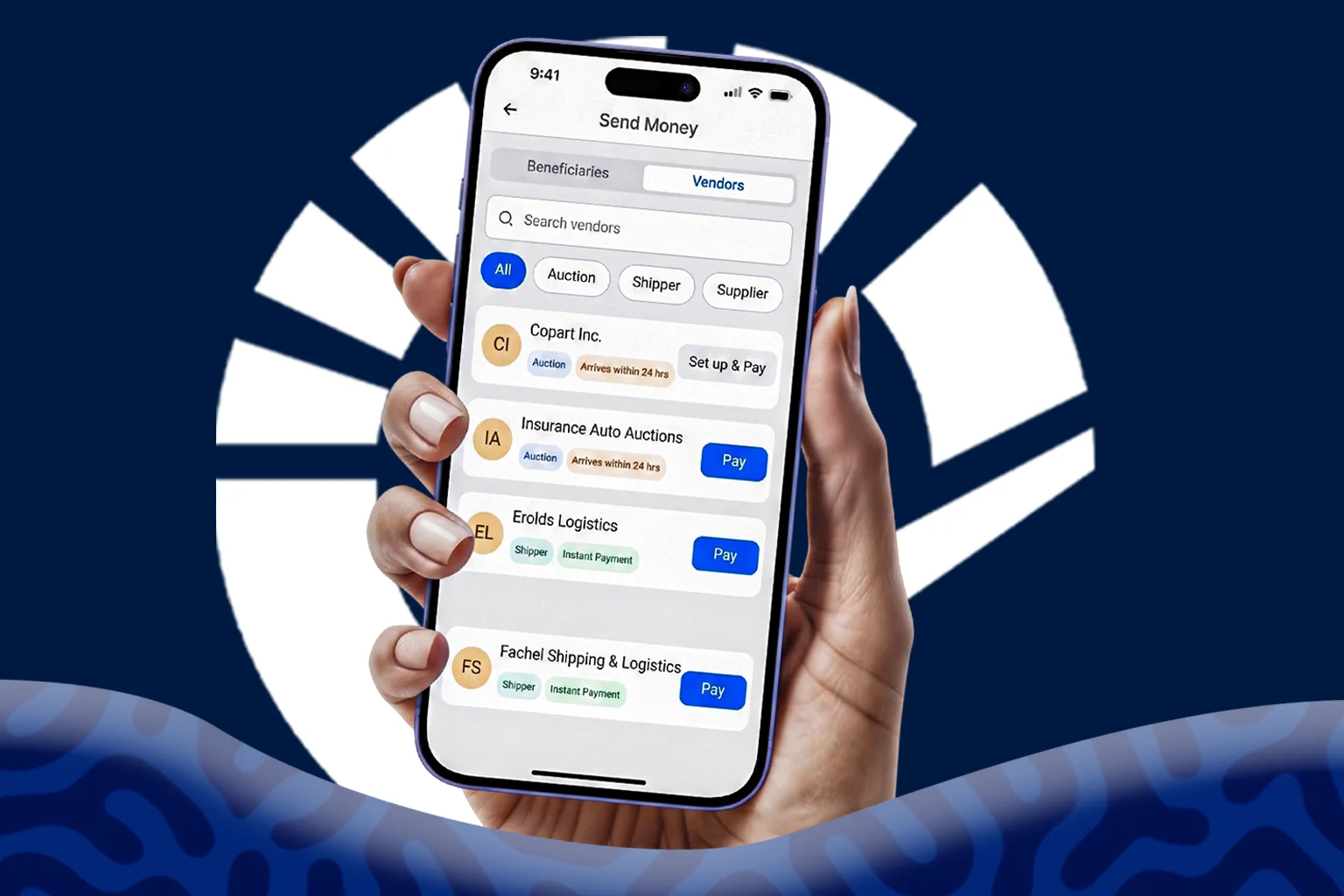
African businesses don’t build operations around one-time transactions. They build them around trusted partners. A car importer who buys from Copart today is likely to return to Copart for their next purchase. The same applies to shipping companies, freight partners, inspection providers, and other suppliers that become part of a business’s day-to-day operations.
While these business relationships remain consistent, the payment experience has traditionally been repetitive. Each transaction often requires customers to search for payment instructions, create or manage beneficiaries, and verify account information before a transfer can be completed, even when they’re paying the same vendor again.
Vendor Payments is Clea’s new payment experience that makes it easier to pay approved suppliers you work with regularly. Instead of manually creating or managing beneficiary information each time you make a payment, Vendor Payments gives you direct access to approved vendors from within your Clea account, allowing you to complete repeat payments in just a few steps.
Two experiences power this feature.
The first is the Clea Vendor Network, a growing network of suppliers that have been directly onboarded to Clea. Payments to businesses within this network are completed instantly after authorisation.
The second is Preconfigured Partner Rails, which supports platforms such as Copart and IAA. Their payment information has already been configured within Clea, making payments simpler while maintaining the speed, transparency, and reliability businesses expect.
Why We Built Vendor Payments
We recognised that repeat payments deserve a different experience. Businesses weren’t making one-off international transfers. They were paying the same auction platforms, shipping companies, and logistics providers again and again, yet every payment started with the same routine of managing beneficiaries and confirming payment details.
This applies to the local-to-global side too. Funding a Clea account takes minutes. Paying an approved vendor abroad now takes just as little time, since their payment details are already set up.
Vendor Payments is designed for Africans who make repeat international payments to the same approved vendors. Instead of treating every transaction as a new payment, it simplifies things for businesses that already have established relationships with their suppliers, auction platforms, and logistics partners.
With Vendor Payments, customers can:
- Pay approved vendors without a beneficiary setup.
- Reduce the risk of errors that can occur when manually entering payment details.
- Complete repeat payments in fewer steps.
- Save time when paying frequently used suppliers and service providers.
Regular international payments remain available whenever customers need to pay a new supplier or any business that isn’t yet supported through Vendor Payments.
Vendor Payments vs. Regular International Payments
Both payment options are available within Clea, but they’re designed for different payment scenarios.
A regular international payment is ideal when you’re paying a new supplier or sending funds to a business that isn’t already available within Clea. You’ll create or select a beneficiary, enter the required banking information, and complete your transfer as usual.
Vendor payment is designed for businesses you already pay regularly.
Instead of the usual beneficiary setup, you select the approved vendor from the Vendor Payments page, provide the payment amount required for that transaction, review the details, and authorise the payment.
The payment experience is shorter because the vendor’s payment information has already been configured within Clea.
Payment Processing Times
Processing times depend on the type of vendor you’re paying.
Clea Vendor Network: Payments to vendors within the Clea Vendor Network are completed instantly once you’ve authorised the transaction.
Preconfigured Partner Rails: Payments to supported platforms such as Copart and IAA begin processing immediately after authorisation. While these payments may take up to 24 hours, approximately 98% are completed in less than 2 hours.
The processing time is shown during the payment process so you’ll always know what to expect before confirming your transaction.
How to Access and Make a Vendor Payment
Vendor Payments is available to all verified Clea customers on both the web and mobile app.
On the Web:
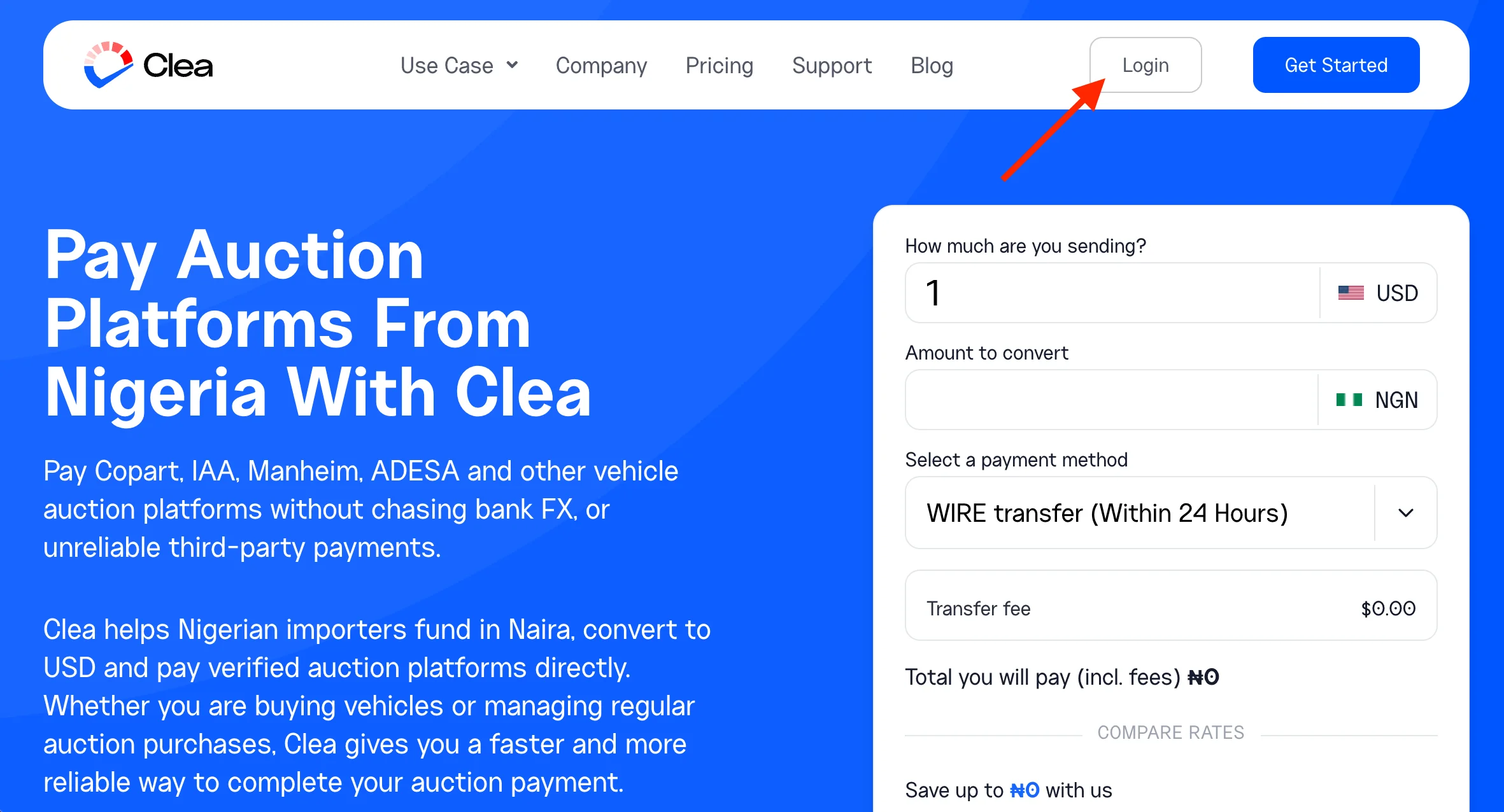
Step 1: Log in to your Clea account
Sign in to your Clea account from your web browser to access your dashboard.
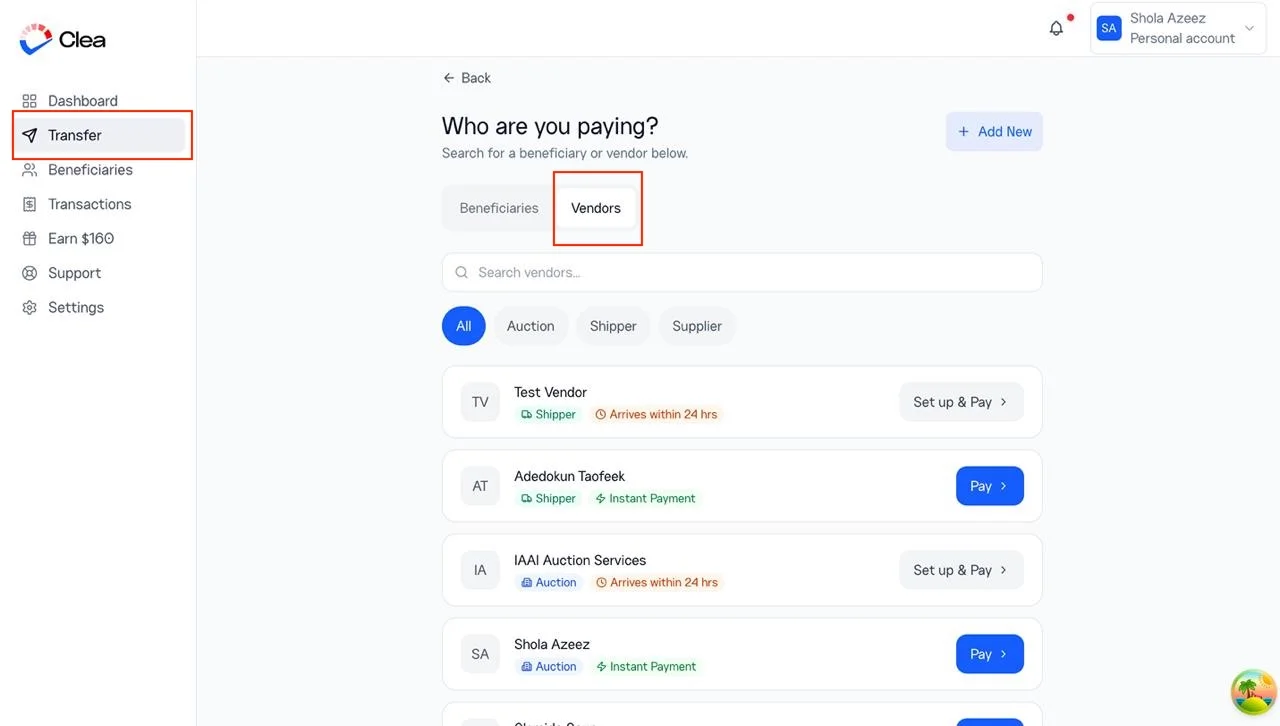
Step 2: Open the Transfer page
From the left-hand navigation menu, click Transfer.
On the Transfer page, select Vendor to view the list of approved vendors available through Vendor Payments.
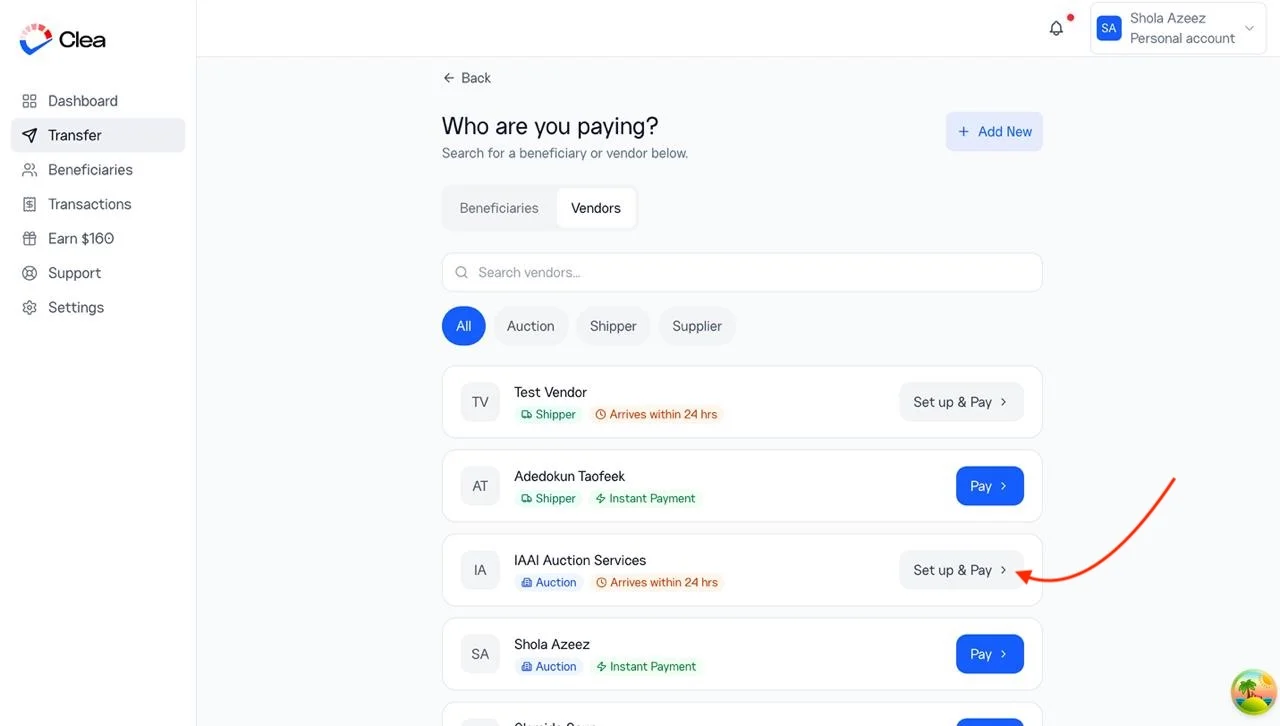
Step 3: Search for and Set Up a Vendor
Use the search bar to find the vendor you want to pay.
Once you’ve found the vendor, click Set Up & Pay. This saves the vendor to your account for future use and takes you to the payment screen.
Step 4: Enter Your Payment Details
Enter the amount you want to send and complete any payment information required by the selected vendor.
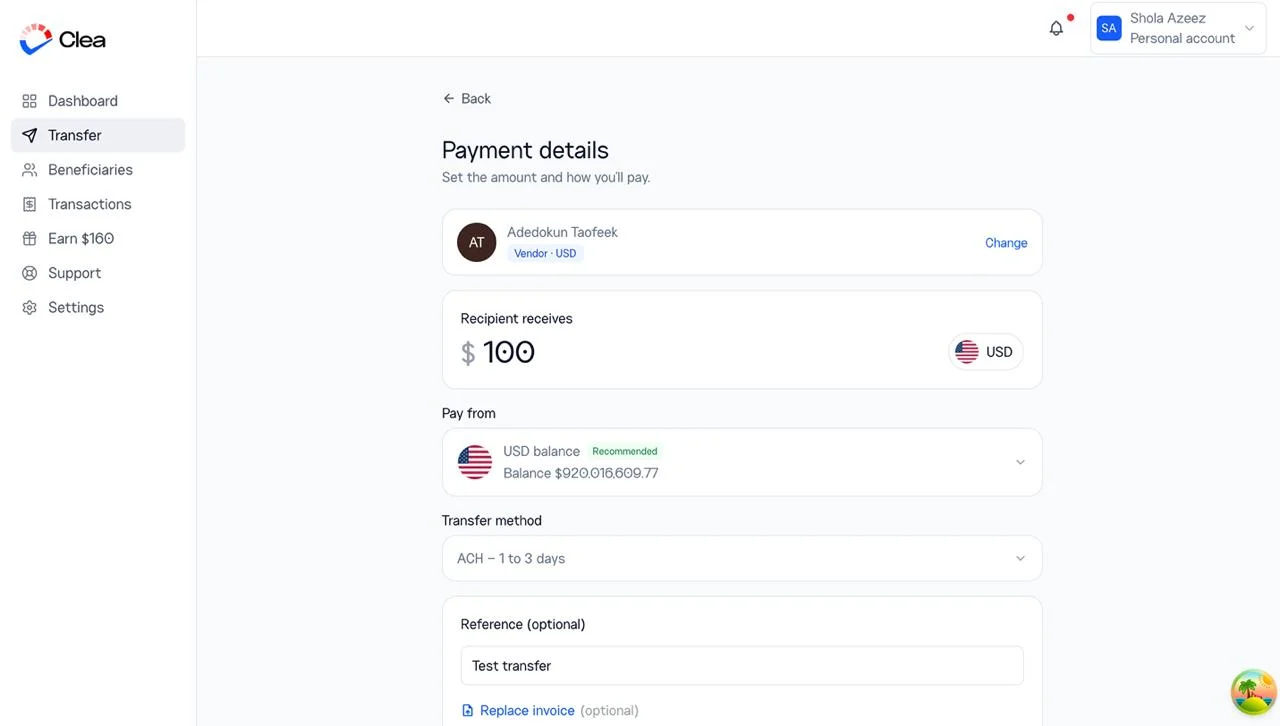
Depending on the vendor, you may be asked to provide details such as your buyer number, lot number, invoice number, shipment reference, or another payment reference. This information helps the vendor identify and process your payment correctly.
Step 5: Review Your Payment
Carefully review the payment amount, payment currency, and any reference information before proceeding.
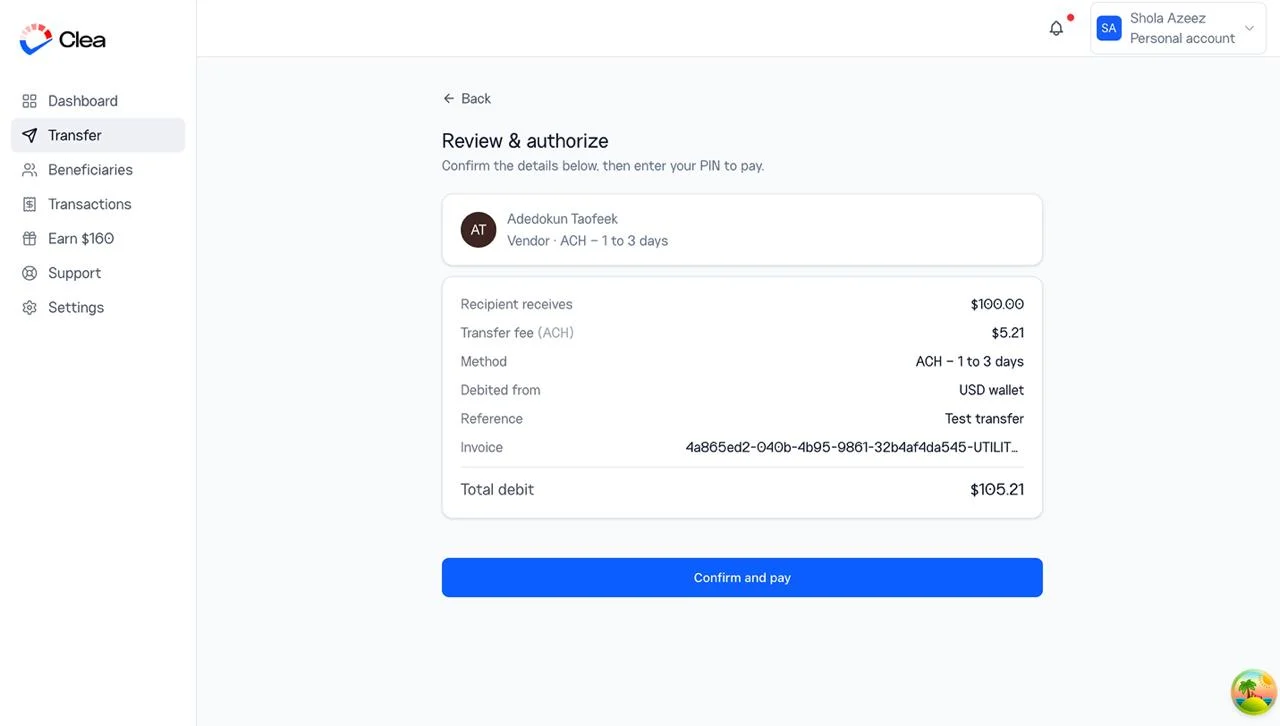
Step 6: Authorise the Payment
Enter your 4-digit transaction PIN to authorise the payment.
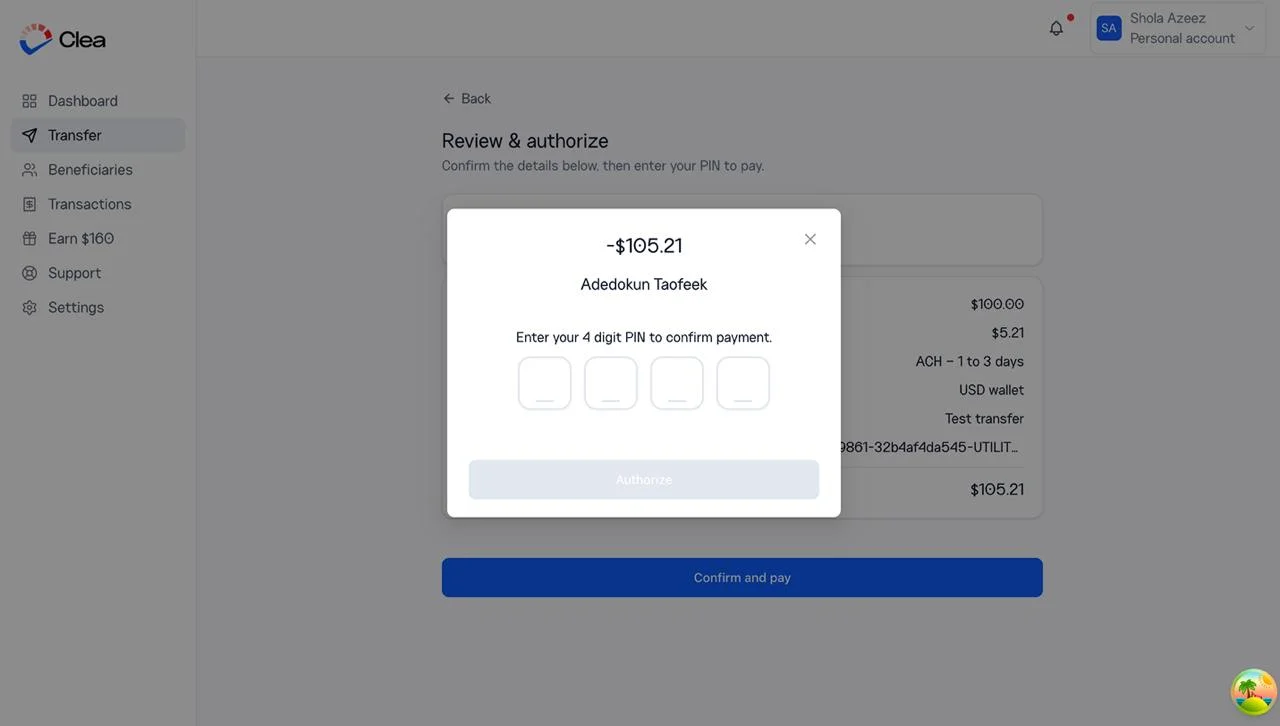
If you’ve forgotten your transaction PIN, reset it before continuing the transaction.
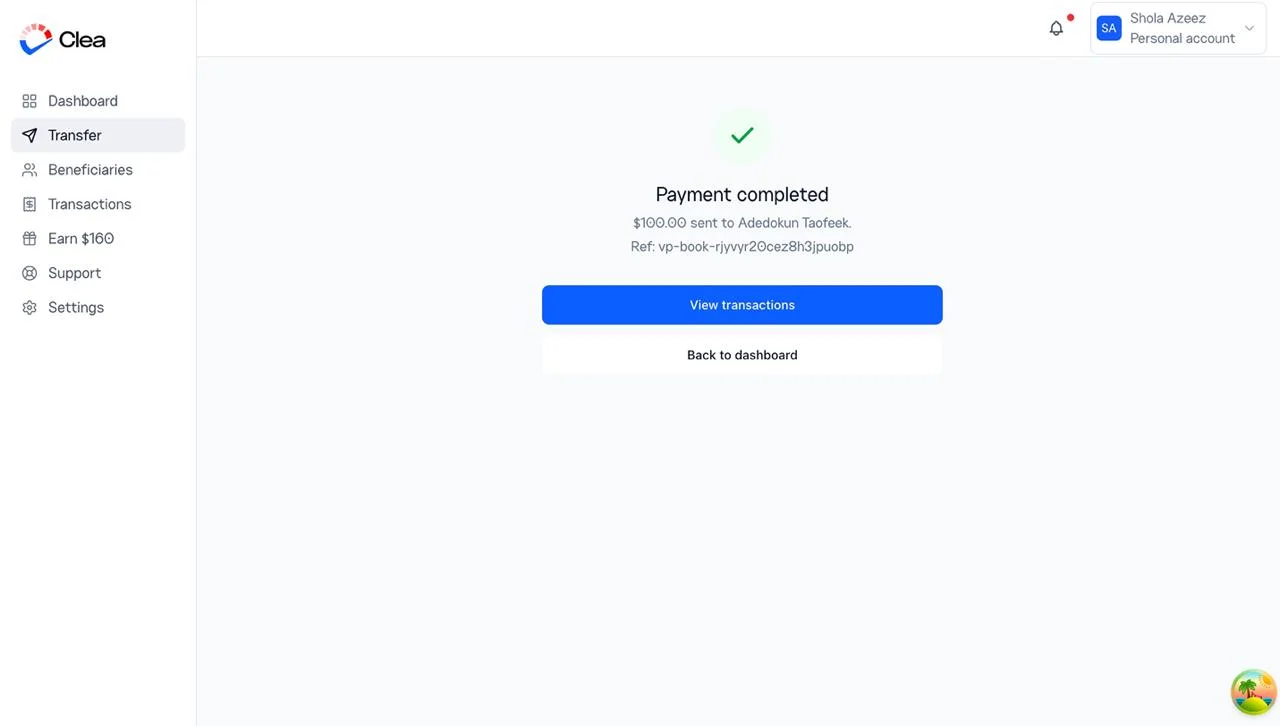
Step 7: Track Your Payment
You can monitor your payment status directly from your Clea account, and you’ll receive a confirmation once the payment has been completed.
On Mobile:
Vendor Payments is available on the latest version of the Clea app. If you don’t see the feature, update your app from the Google Play Store or Apple App Store before getting started.
Step 1: Log in to the Clea App
Open the Clea app and sign in to your account.
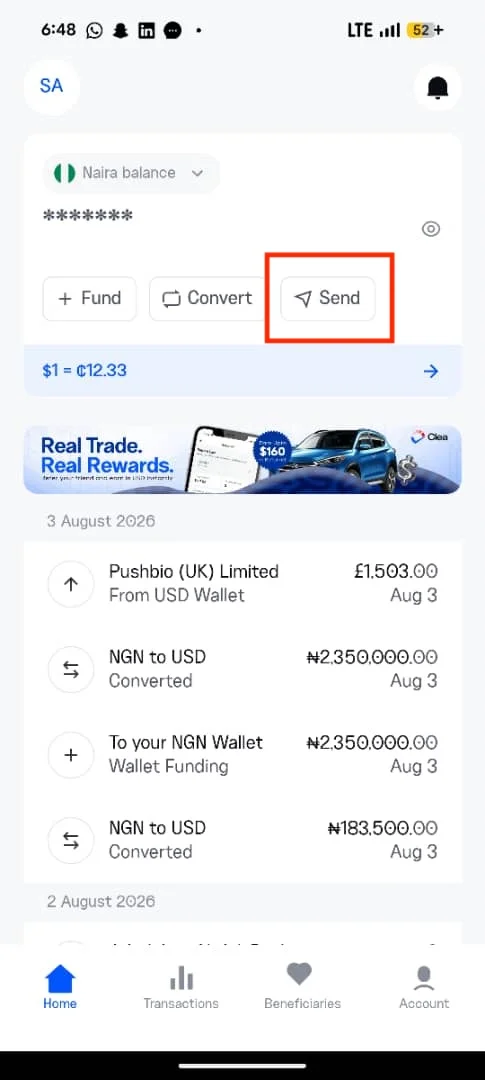
Step 2: Open the Send Money Page
From the home screen, tap Send.
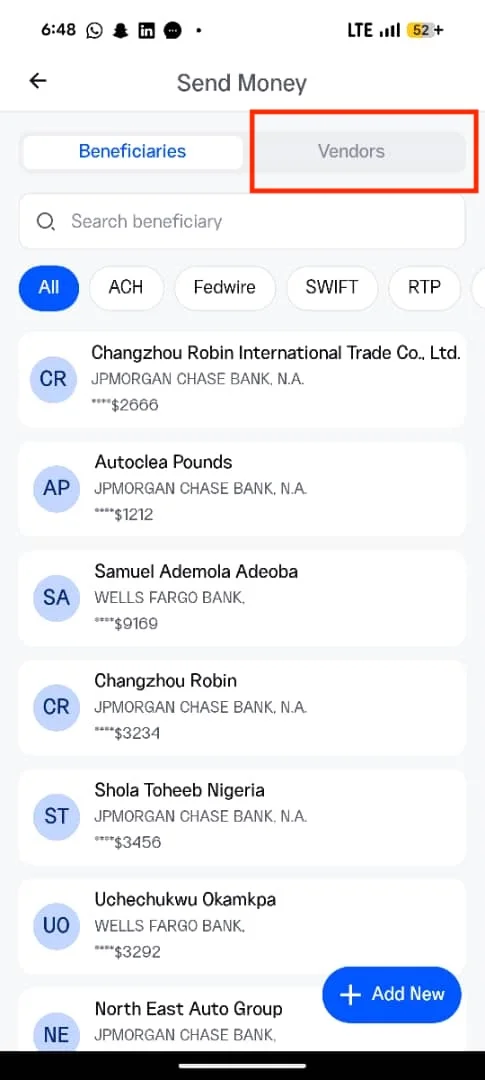
You’ll see both Beneficiaries and Vendors. Select Vendors to continue.
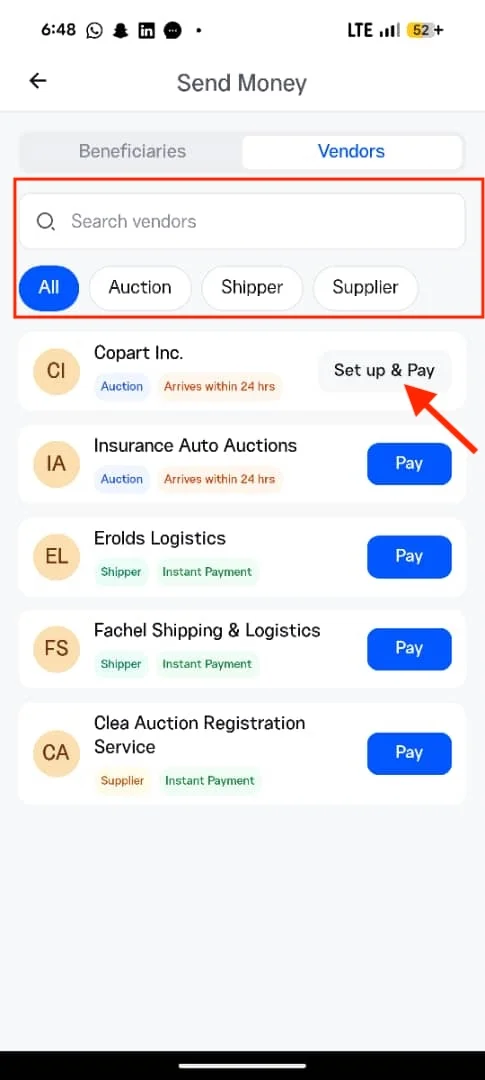
Step 3: Find the Vendor You Want to Pay
Search for the vendor by name or use the available filters to browse by category, such as Auction, Shipper, or Other Supplier.
When you’ve found the vendor, tap Set Up & Pay.
Step 4: Enter Your Payment Details
Enter the payment amount and any reference information required by the vendor.
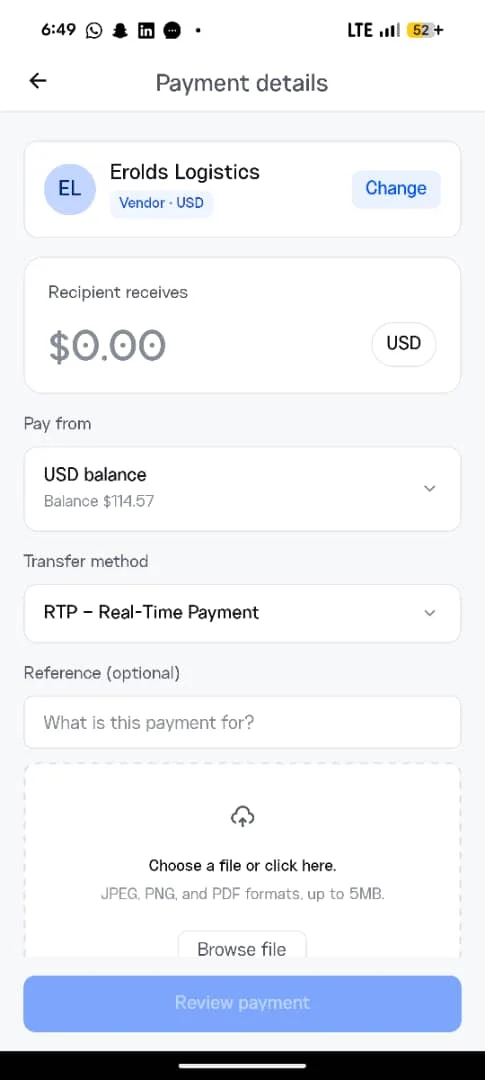
If you have multiple wallets, you can choose the wallet you’d like to pay from. Clea automatically selects the recommended wallet based on the vendor you’re paying to.
Step 5: Review and Authorise Your Payment
Review the payment details to confirm everything is correct, then enter your 4-digit transaction PIN to authorise the payment.
Step 6: Track Your Payment
Once authorised, your payment moves into processing. You can track its progress within the app, and you’ll receive a confirmation when the payment has been successfully completed.
What to Expect
Combined with local funding, transparent exchange rates, and secure global payments, vendor payments help businesses move money with fewer steps and greater confidence.
As the Clea Vendor Network continues to grow, more suppliers will be available through Vendor Payments, making it even easier for businesses to fund locally and pay globally from a single platform.
Frequently Asked Questions
Do I need to create a beneficiary before making a Vendor Payment?
No. Approved vendors already have their payment information configured within Clea. Simply select the vendor, enter the required payment information, and complete the transaction.
How long do payments to Clea vendors take?
Payments to vendors in the Clea Vendor Network are instant. Payments through partner rails like Copart and IAA complete under 2 hours.
What happens if the vendor I want to pay isn’t listed?
You can still pay them the regular way by creating a beneficiary and completing the transfer as usual.