

Clea now supports local USD transfers to businesses in China and Hong Kong. Payments arrive within 3 hours during Chinese working hours, compared with 1 to 2 business days on SWIFT.
What’s New About USD Payments to China and Hong Kong?
When you add a beneficiary in China or Hong Kong, you’ll now see a new payment method for each country.
- CFXPS: for business beneficiaries in China
- CHATS: for business beneficiaries in Hong Kong
SWIFT is still available for both countries if you need it.
Before you send a transfer, keep these requirements in mind.
- Account type: Only verified business accounts can use CFXPS and CHATS for now.
- Payment currency: Transfers are sent in USD. You don’t need to convert to Chinese yuan (CNY) or Hong Kong dollars (HKD).
- Invoice: A valid invoice must be attached to every transfer.
How to Pay Suppliers in USD to China and Hong Kong with Clea
Step 1: Add Your Beneficiary
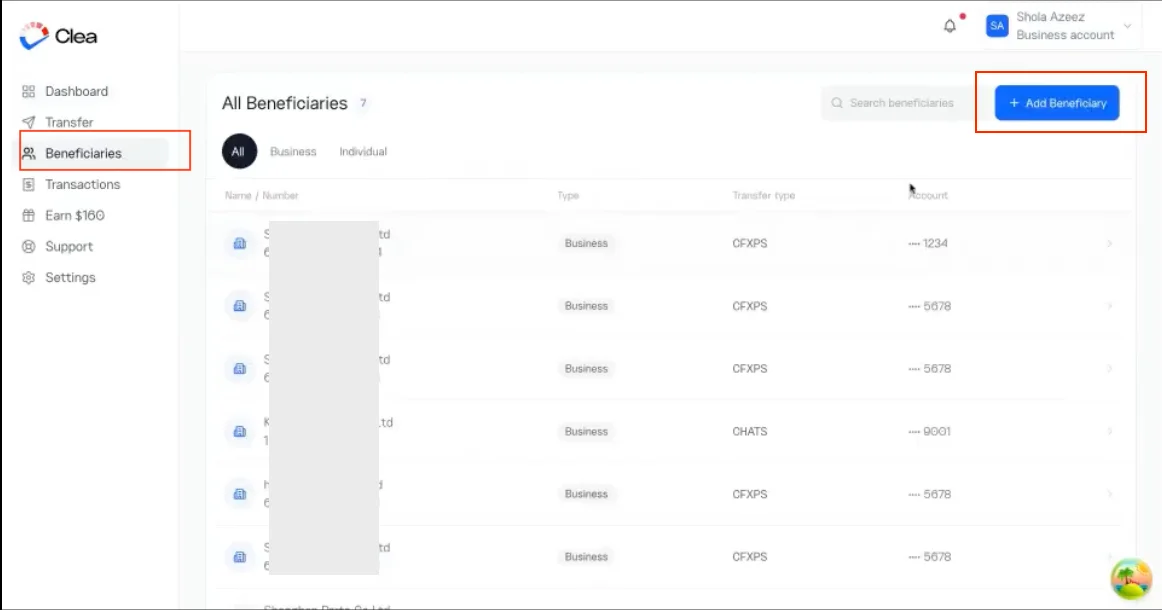
Start by adding the business you want to pay to your beneficiary list. Navigate to the Beneficiaries section and select Add Beneficiary.
Select the beneficiary’s country, either China or Hong Kong, and choose USD as the payment currency.
Choose CFXPS as the payment method for China, or CHATS for Hong Kong.
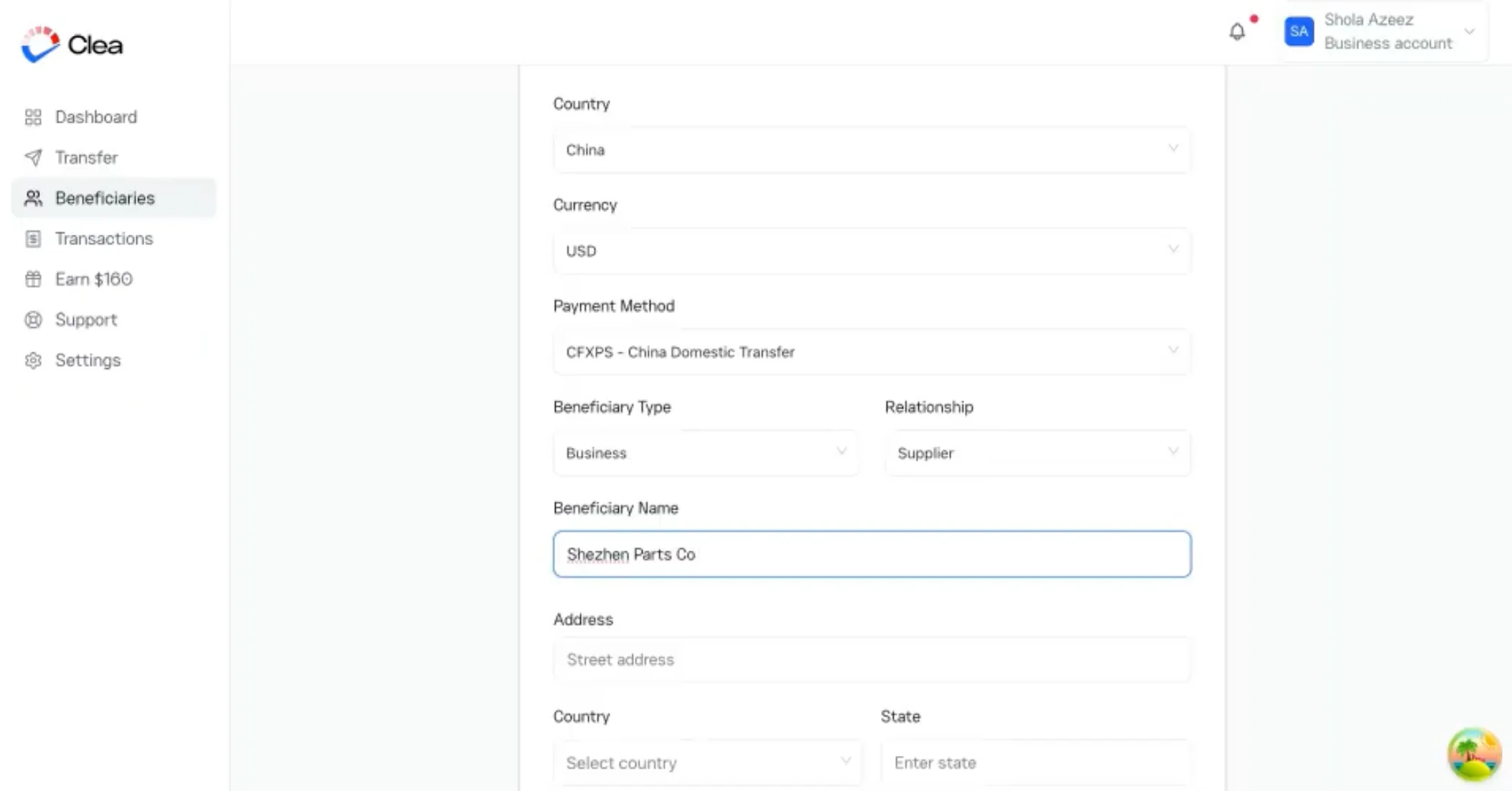
Enter the beneficiary’s full registered business name, business address, bank account details, and any other required banking information.
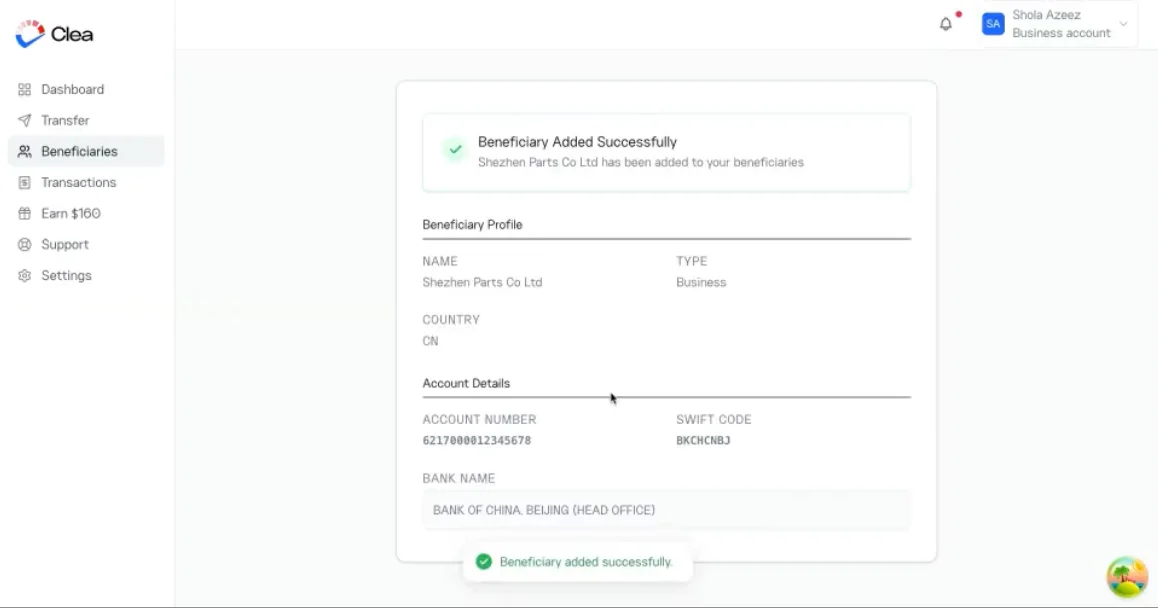
Review the details to ensure they match the information provided by your supplier. Once submitted, you’ll get a pop-up box confirming that the beneficiary has been added successfully.
Step 2: Select Your Beneficiary
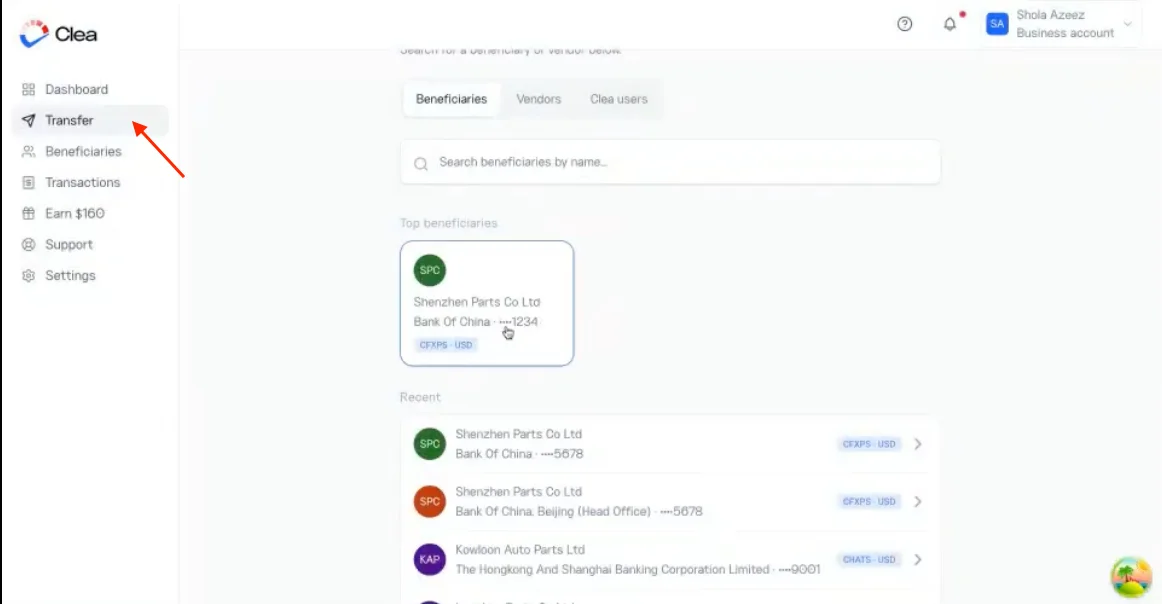
Navigate to the Transfer page on the web, or tap Send on the app homepage. Search for the supplier you saved and select them.
Step 3: Enter the Payment Amount
On the transfer details page, enter the amount you want your supplier to receive in USD.
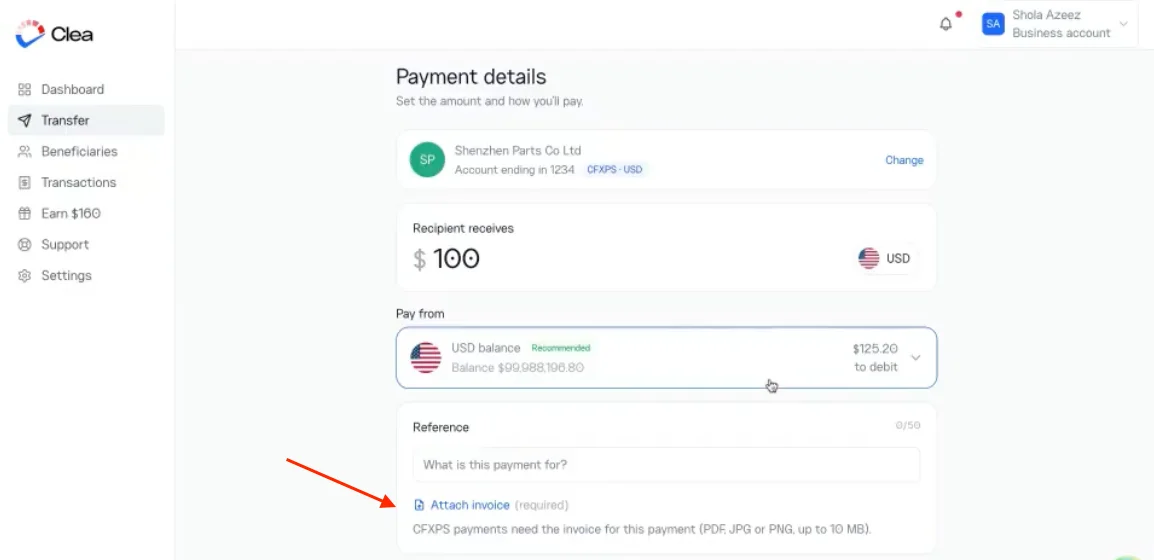
You will also need to upload the invoice for the transaction. This is a compulsory requirement for payments through CFXPS and CHATS, so ensure the correct invoice is attached before proceeding.
Check that the amount corresponds to the invoice and the payment you intend to make.
Step 4: Review Your Payment
Before submitting the transfer, review the transaction details carefully.
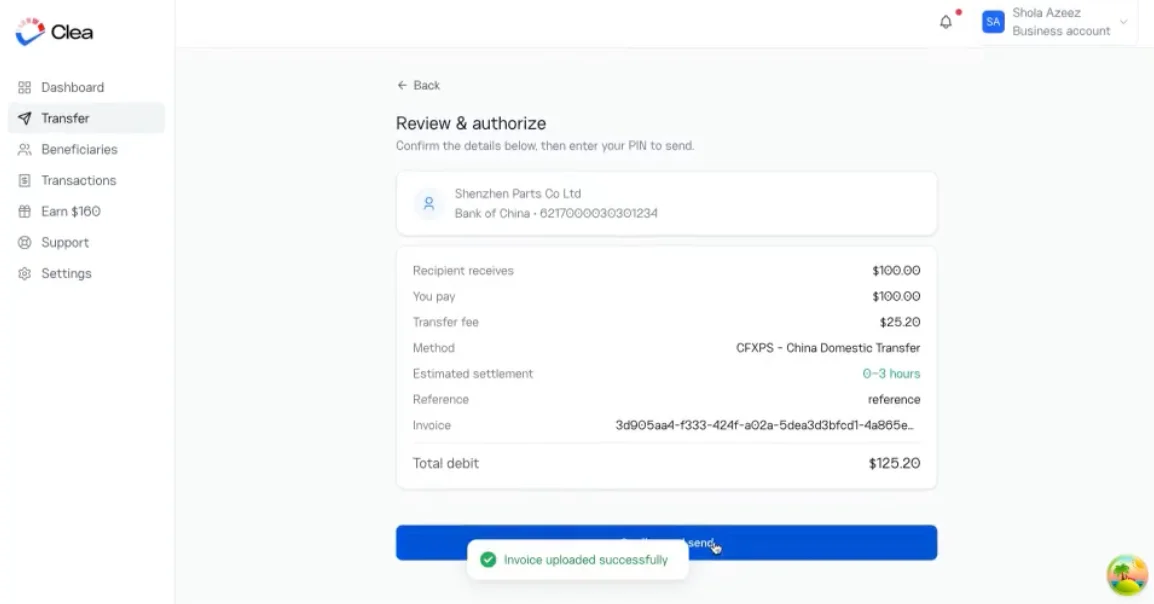
Confirm that the beneficiary’s business name, destination country, payment method, and USD amount are correct.
Once you’ve verified the information, proceed to authorise the payment.
Step 5: Authorise Your Payment
Enter your Clea transaction PIN or biometrics to authorise and submit the transfer.
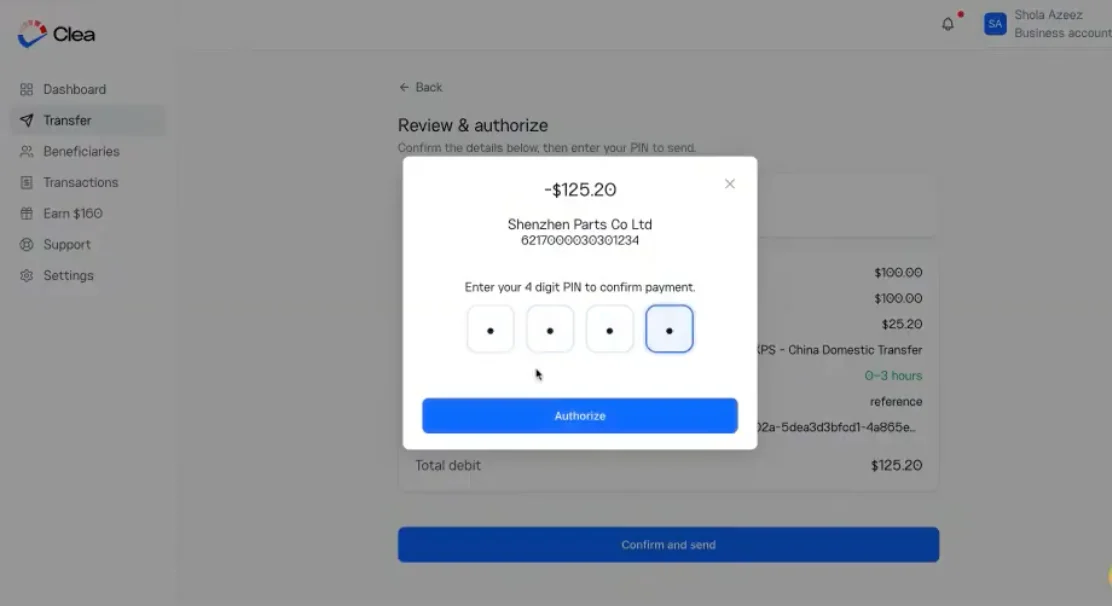
The payment will be processed, and you can track its progress directly from your Clea account.
Your suppliers shouldn’t have to wait days for payment.
Send USD to businesses in China and Hong Kong through Clea’s faster payment routes.