
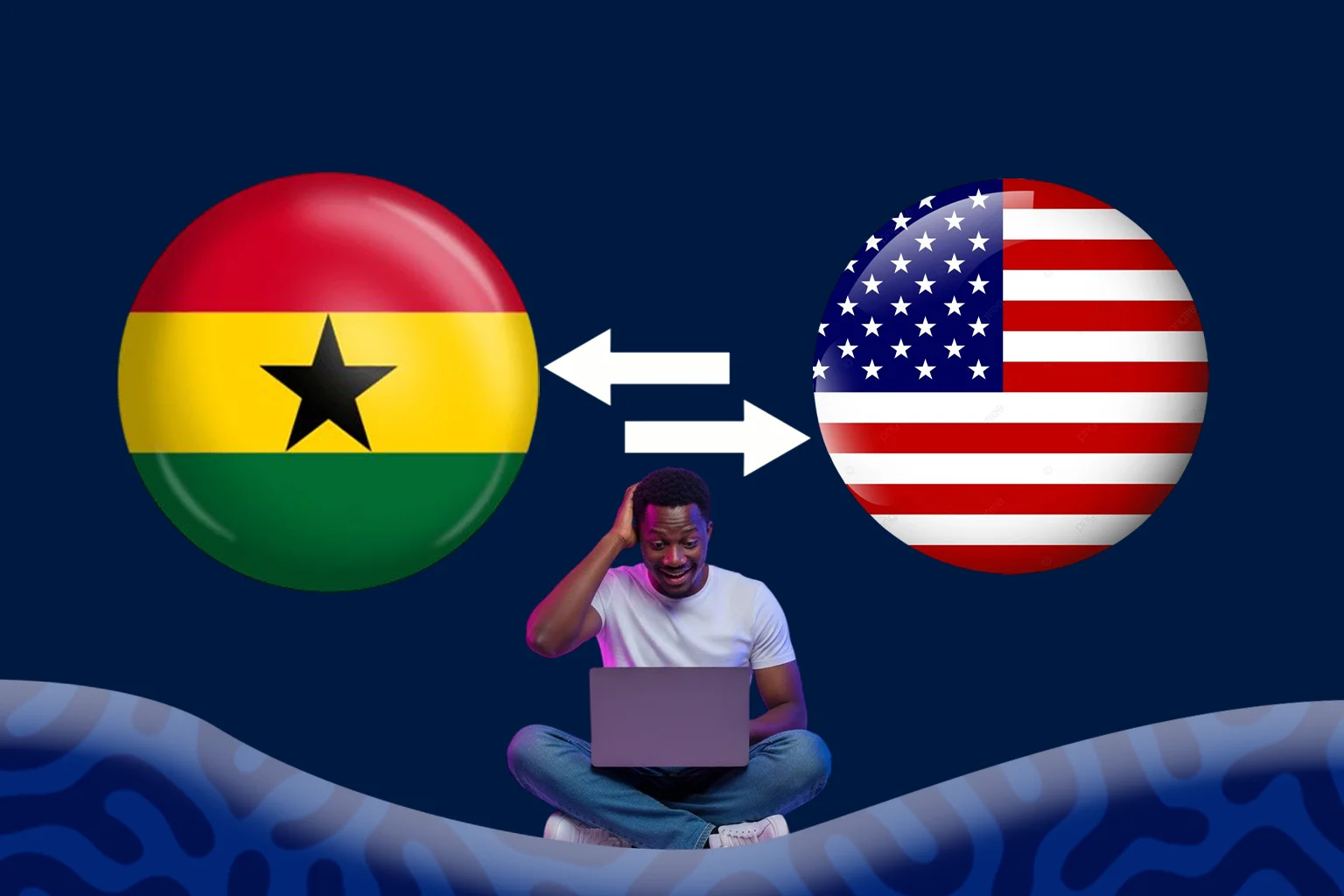
Paying an international supplier often means dealing with a currency other than the one your business earns. And for importers in Ghana, this usually means converting Ghanaian cedis (GHS) into US dollars (USD) before paying suppliers or overseas vendors.
Having a convenient way to make that conversion can save time and make it easier to manage payments, especially when supplier invoices come with specific deadlines.
With Clea, you can fund your account in cedis, convert your balance to USD, and use the funds to pay your international suppliers.
What You Need to Get Started
Before you convert cedis to dollars on Clea, there are a few things to have ready:
A verified Clea account: Download the Clea app from the App Store or Google Play, sign up, and complete the required account verification. Verification is necessary to access the platform and make transactions.
A funded GHS wallet: You’ll need a cedi balance before you can convert. You can fund your Clea account through a bank transfer or mobile money, giving you different ways to add money depending on what works best for your business.
Your supplier’s invoice: If you’re converting money specifically for an import payment, have your supplier’s invoice handy. This helps you determine how many dollars you need and how much to fund your wallet with.
Once these are in place, you can proceed with the conversion.
How to Convert Cedis to Dollars for Import Payments on Clea
Step 1: Open Your GHS Wallet
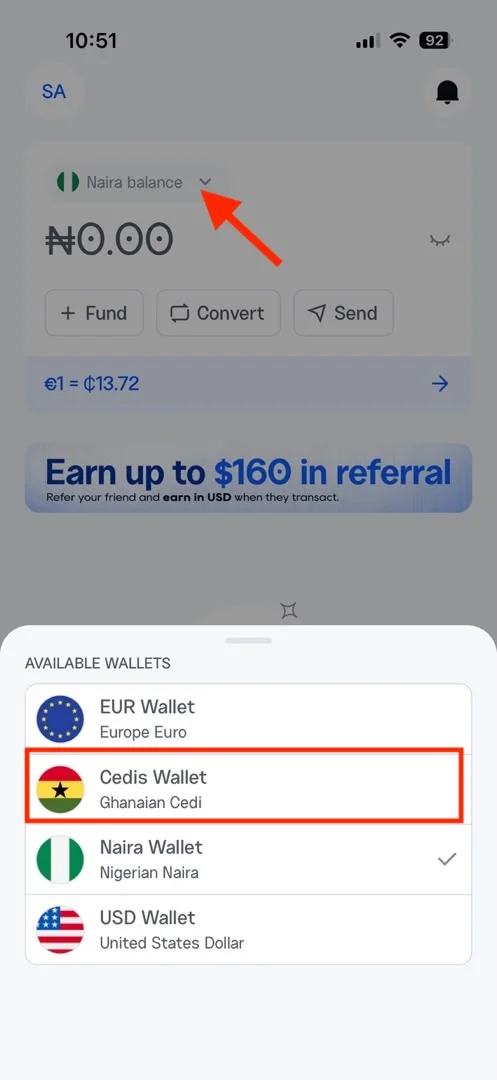
Log in to your account and navigate to your homepage, where your available wallet balances are displayed. Select your GHS balance to access your cedi wallet.
Step 2: Select Convert
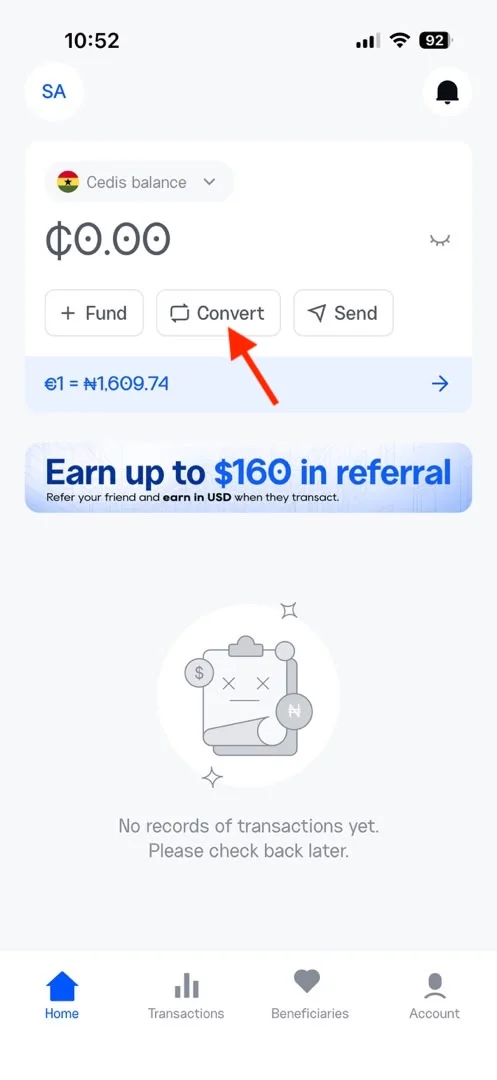
Within your GHS wallet, select the Convert option. This takes you to the currency conversion interface, where you can exchange your cedi balance for US dollars.
Step 3: Enter the Amount You Want to Convert
Enter the amount in Ghanaian cedis you wish to convert. The app will automatically calculate the equivalent amount in USD using the current exchange rate.
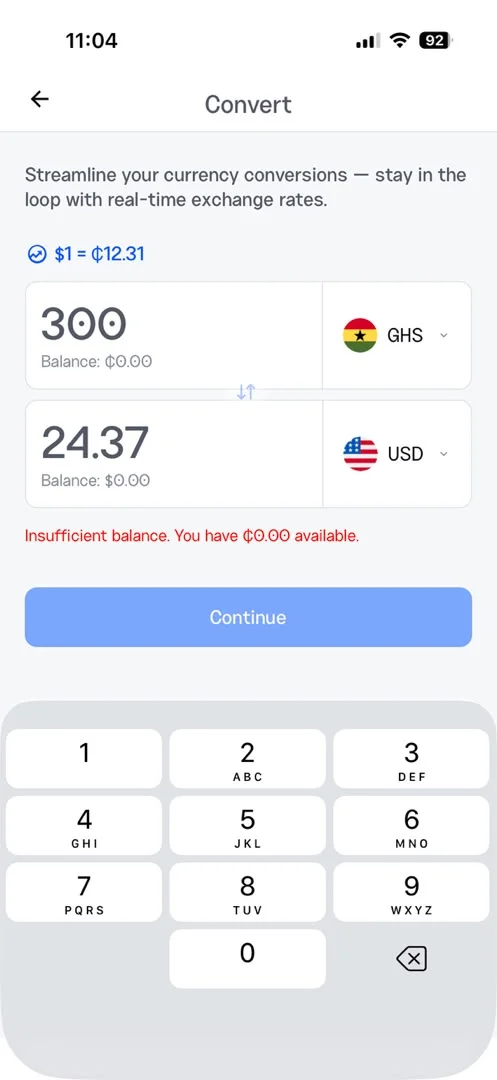
If you’re converting money to pay a supplier, use the invoice amount as your starting point. For instance, if your supplier has sent an invoice for $5,000, check how much that amount will cost in cedis at the displayed rate. Remember to account for fees when deciding how much to fund your wallet with.
Step 4: Review the Exchange Rate
Tap Continue to view the transaction summary before proceeding.
You’ll see:
- The exchange rate applied to your conversion.
- The exact amount in USD you’ll receive.
- Any transaction fees.
Review these details carefully so you know exactly how much will be credited to your USD wallet before confirming.
Step 5: Confirm Your Conversion
Tap Convert Now to complete the transaction.
Your GHS balance will be debited, and the equivalent amount will be credited to your USD wallet. Once the conversion is complete, your dollars are available for making international payments.
Tips to Convert Cedis to Dollars at a Better Cost
- Convert ahead of scheduled payment: Many suppliers require an upfront deposit, followed by the remaining balance before shipping. If you already know when the next payment is due, you can convert the required amount early and keep the dollars in your USD wallet until payment is due. This also gives you a clearer picture of what the order will cost in cedis.
- Keep an eye on exchange rate movements: If a payment isn’t urgent, monitor how the cedi is performing against the dollar before converting. Exchange rates can change, and checking the available rate regularly helps you make a more informed decision. Clea displays real-time conversion rates on the web and in-app, making it easy to check before proceeding.
- Keep your transaction records: Save your supplier invoices and payment confirmations. These records make it easier to track your import expenses, reconcile payments, and provide supporting documents when requested by your bank or clearing agent.
Frequently Asked Questions
Do I need a domiciliary account to convert cedis to dollars?
No. You don’t need a domiciliary account to convert cedis to dollars on Clea. You can fund your GHS wallet directly, convert your balance to USD, and manage your international payments directly from your Clea account.
Is there a limit on how much I can convert?
No fixed conversion limit applies. You can convert the amount you need based on your available wallet balance and payment requirements.
Can I convert my dollars back to cedis?
Yes. You can convert your USD balance back to Ghanaian cedis whenever you need to. This gives you flexibility if your payment requirements change or you need cedis for other business expenses.
Can I convert cedis to dollars on weekends?
Yes. You can convert cedis to dollars on Clea at any time, including weekends and public holidays. You don’t have to wait for the next banking day to convert your balance.