

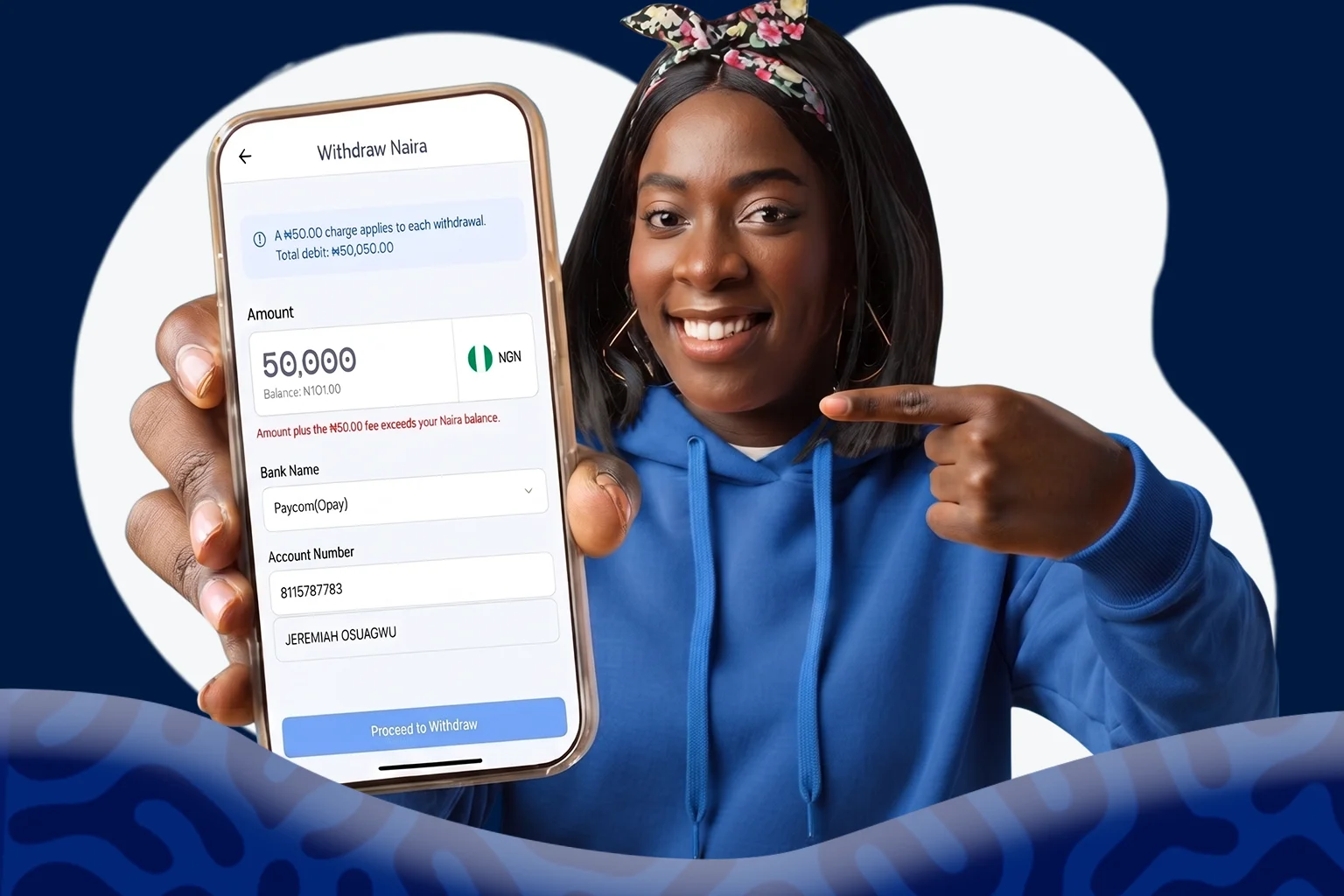
Withdraw funds from your Clea Naira wallet to your bank account using either the web platform or mobile app. Before submitting your withdrawal, you’ll be able to review your transaction details and verify the destination account before your request is processed.
How to Withdraw Naira on the Web
Step 1: Log in to Your Clea Account
Go to the Clea web platform from your browser and sign in to your account.
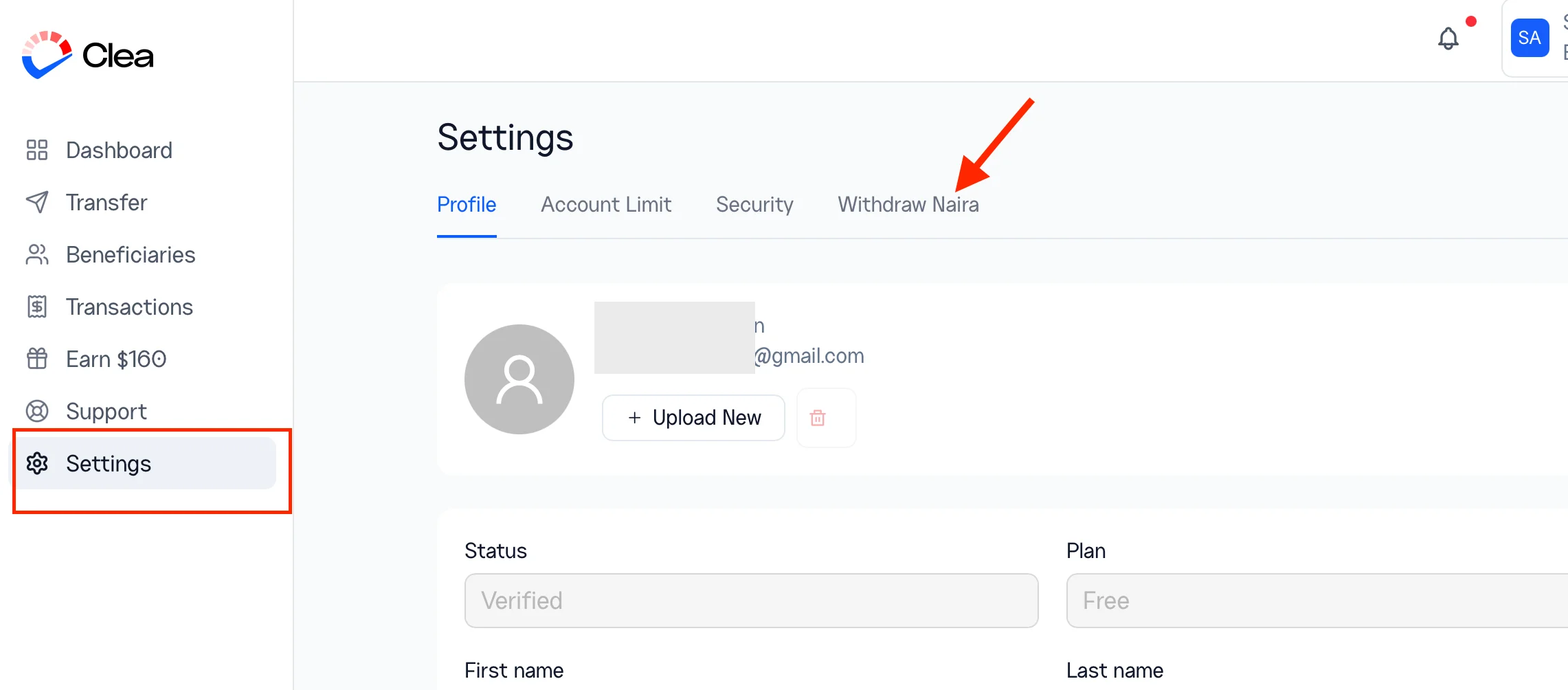
Step 2: Access the Withdraw Naira Section
From your settings, navigate to Withdraw Naira.
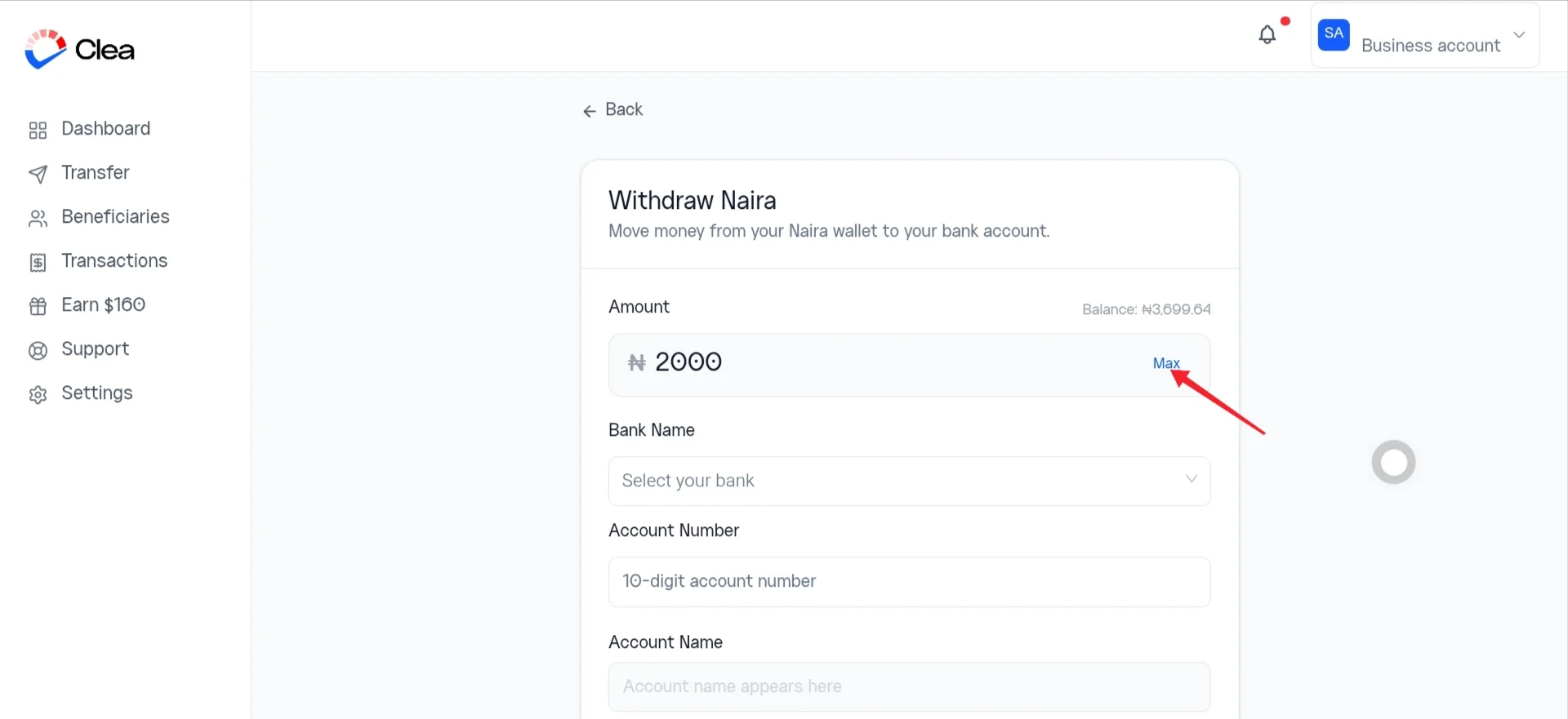
Step 3: Enter the Amount to Withdraw
Type the amount you want to transfer to your bank account.
To withdraw your available balance, select Max.
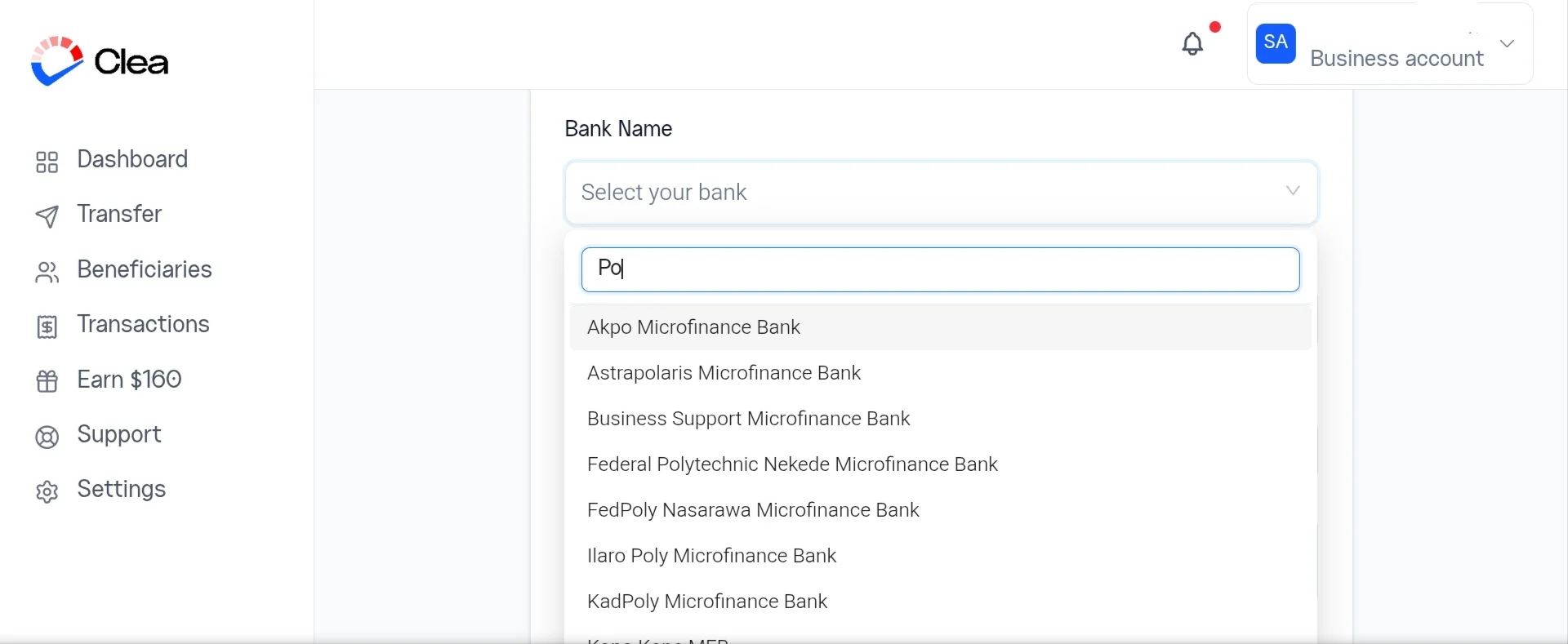
Step 4: Select Your Bank
Choose the bank you’d like to receive your funds.
You can scroll through the list or search for your bank by name.
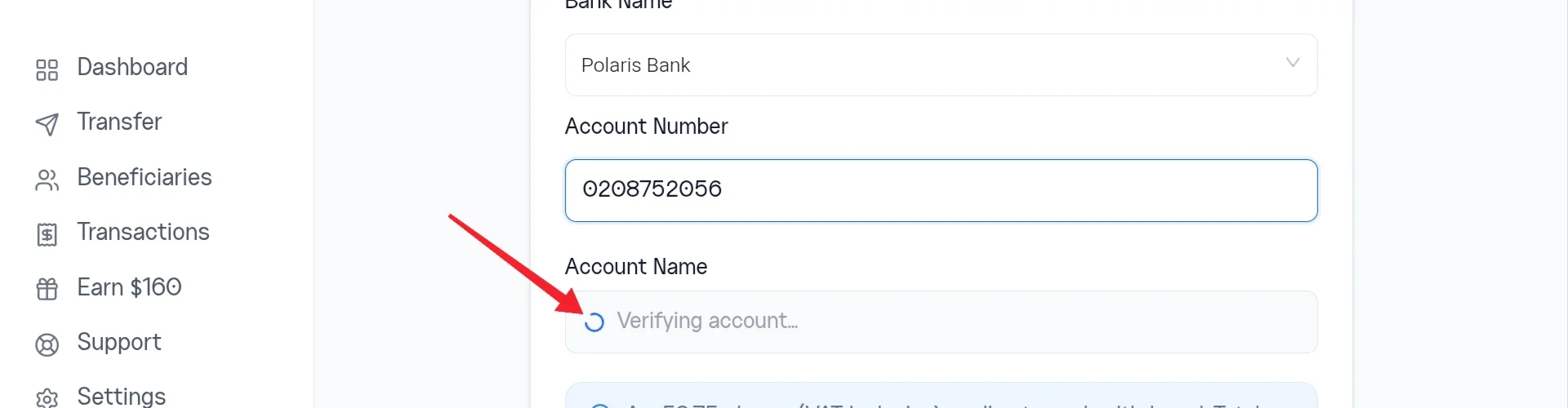
Step 5: Enter Your Bank Account Number
Enter the account number for the bank account you’d like to receive your funds.
Once the account number has been verified, the account name will appear automatically. Confirm that the displayed name matches the intended account before proceeding.
Step 6: Review Your Withdrawal
Review the withdrawal amount, bank, and account details before submitting your request.
Step 7: Confirm Your Withdrawal
Select Confirm Withdrawal.
Once your withdrawal has been submitted successfully, it will begin processing and the funds will be sent to your selected bank account.
How to Withdraw Naira To Your Bank Account on Clea App
Step 1: Update the App
Ensure you’re using the latest version of the Clea app on your iPhone or Android.
Step 2: Sign In
Open the Clea app to sign in to your account.
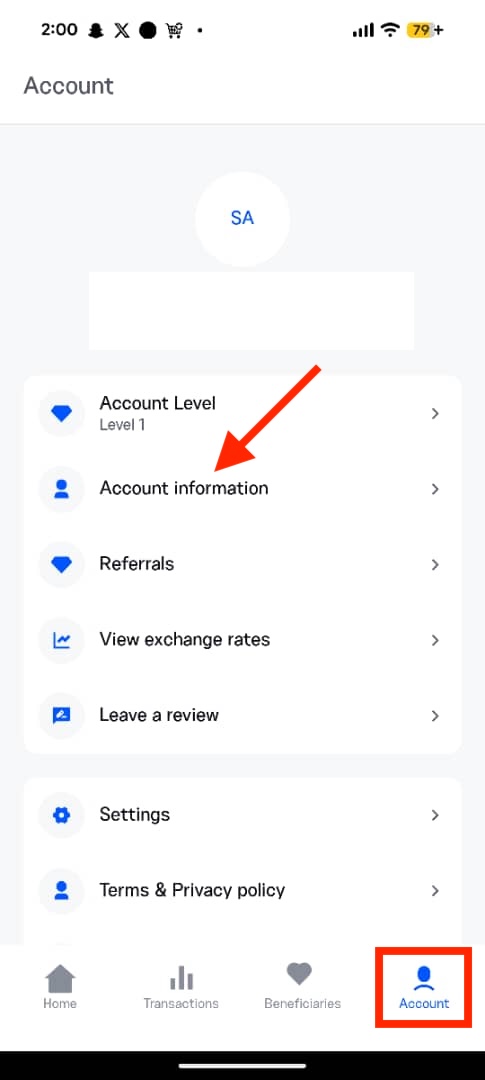
Step 3: View Your Account Information
Tap the Accounts tab at the bottom of the screen, and go to Account Information.
Step 4: Add or Update Your Account Details
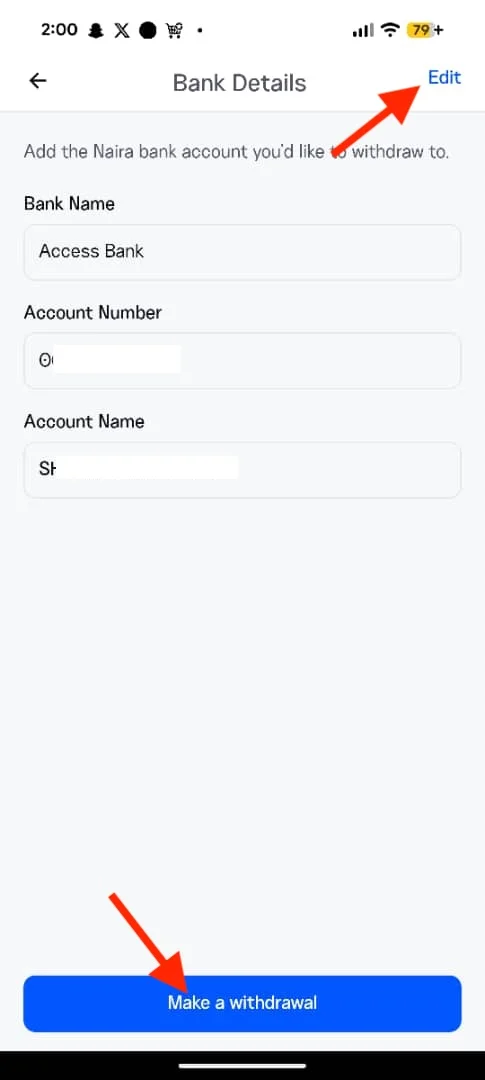
Select Bank Details, then tap Edit. Choose your bank and enter the account number where you’d like to receive your funds. Once your account is verified, confirm that the displayed account name is correct, then save your details.

Step 4: Start Your Withdrawal
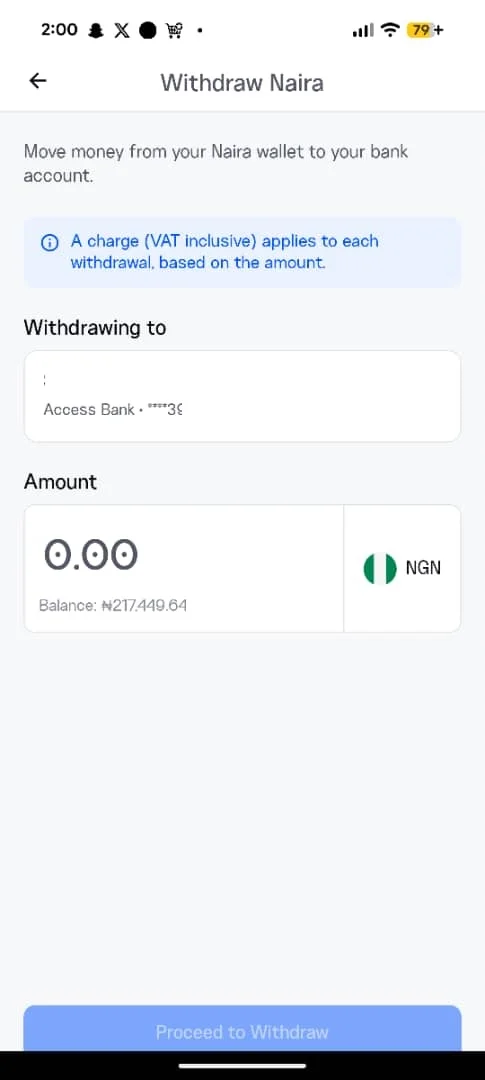
Tap Make a Withdrawal and enter the amount you want to withdraw from your Naira wallet.
Step 6: Complete Your Withdrawal
Tap Proceed to Withdraw.
You’ll receive a confirmation once your withdrawal request has been submitted successfully in your transaction history.
Frequently Asked Questions
How long does a Naira Withdrawal take?
Most withdrawals are processed shortly after they’re confirmed.
Why is my withdrawal still pending?
Withdrawal processing times can vary depending on your bank or temporary network delays. If your withdrawal is taking longer than expected, contact Clea Support.
Are there any fees for withdrawing naira?
Yes. Transfer changes and VAT applies to Naira withdrawal fees. This will be shown before you confirm your withdrawal, so you’ll always know the total amount before completing your transaction.
Can I change my withdrawal details after confirming?
No. Once a withdrawal request has been submitted, it can’t be edited. Always review the withdrawal amount and bank account details carefully before proceeding to withdraw.
Where can I check the status of my withdrawal?
You can view the status of your withdrawal from your transaction history within your Clea account. If your withdrawal remains pending beyond the expected processing time, please contact Clea Support.