
 USD
USD
 NGN
NGN
Save up to ₦0 with us


Rates updated in the last hour
Pay Bansar China from Nigeria
Paying for your goods is one step. Settling the freight invoice is next.
Use Clea to pay Bansar China from Nigeria with naira funding, currency conversion and payment tracking in one account. Review your exchange rate and fees, then send the amount due using Bansar’s invoice instructions.


Your Goods Are in China. Manage the Freight Payment from Nigeria.
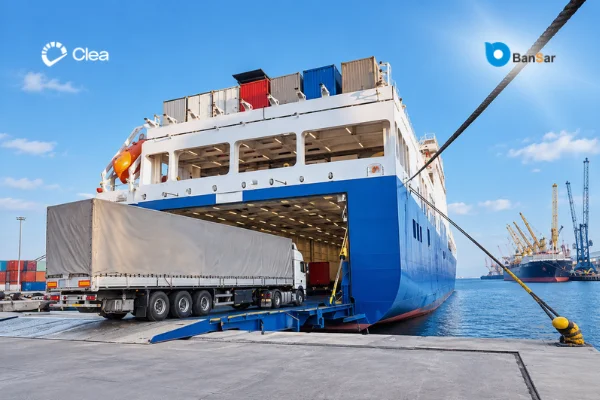
You have arranged the shipment and received your freight invoice. Now you need a straightforward way to pay from Nigeria.
Clea brings local funding, currency conversion and international payments together. Fund your account from your Nigerian bank, convert the amount required and pay using the receiving details supplied by Bansar.
Whether you are restocking your shop or importing a container for your business, you can manage the payment yourself without asking an overseas contact to send on your behalf.
Pay Bansar for Air Freight, Sea Freight and Container Shipping
Bansar provides shipping services from China to Nigeria, including air freight, sea freight and door-to-door delivery.
Full Containers and Shared Container Loads
Settle freight invoices for full-container-load shipments or smaller less-than-container-load shipments. Include Bansar’s requested booking reference so the payment can be connected to your cargo.
Air Cargo
Pay your air-freight invoice from your Clea account. Check the amount due and arrange payment ahead of the deadline provided for your booking.
Collection and Other Logistics Charges
Your Bansar invoice may include pickup, warehousing or shipment preparation. Use the final invoice to identify the charges, receiving currency and amount you need to send.
How to Pay Bansar China from Nigeria
Sign up with Clea and complete the identity or business verification required for your account.
Register and Verify Your Account
Transfer funds from your Nigerian bank account to cover your shipping payment and applicable fees.
Add Naira to Your Clea Balance
Review the exchange rate and convert your naira into the currency required for the supported Bansar payment route.
Convert to Your Invoice Currency
Enter the beneficiary name and bank details supplied in Bansar’s current payment instructions. Include the invoice or booking reference requested.
Add Bansar as Your Beneficiary
Check the recipient, currency, amount, reference and fees. Authorise the transaction once everything matches your invoice.
Review and Authorise the Payment
Submit the payment for processing. Follow its status in Clea and retain the confirmation with your shipping records.
Send Your Payment
Keep Every Freight Payment Connected to the Right Shipment

Buying from several suppliers can mean multiple orders and shipping invoices to manage.
Use Bansar’s requested invoice or booking reference when sending your payment. Keep your Clea confirmation alongside the corresponding freight invoice so you can quickly identify what you paid and follow up on any outstanding balance.
Your goods invoice and freight invoice may cover separate costs. Follow the payment instructions issued by the company receiving each payment.
Why Choose Clea to Pay Bansar from Nigeria?
Your freight payment should be easy to manage from funding through to confirmation. Clea gives you control over each step.
What matters
Asking a friend or agent to pay
Clea
Funding the payment
Coordinate funding with the person sending on your behalf.
Add naira to your own account.
Checking the exchange rate
Request and agree on a conversion quote separately.
Review the rate before converting.
Reviewing payment details
Pass your instructions to another person to enter.
Check the beneficiary, amount and reference yourself.
Following progress
Contact the sender for updates.
Track the transaction from your Clea account.
Keeping payment proof
Request the receipt from the sender.
Access your transaction confirmation and history.
Pay Other Shipping Companies Directly with Clea
Ocean Carriers
Pay major international container shipping and ocean freight companies from Nigeria.
Can't Find Your Shipper?
Your shipping company does not have to appear above for you to make a payment with Clea.
If your shipping or logistics provider has supplied the required invoice and beneficiary details, you can submit the transaction for review.
Vehicle Shipping & RORO
Pay vehicle shipping companies, RORO operators, car transporters and vehicle freight forwarders from Nigeria.
Can't Find Your Shipping Company?
Your shipping company does not have to appear above for you to make a payment with Clea.
If your shipping or logistics provider has supplied the required invoice and beneficiary details, you can submit the transaction for review.
Freight & Logistics Companies
Pay freight forwarders, cargo companies and international logistics providers from Nigeria.
Can't Find Your Shipper?
Your shipping company does not have to appear above for you to make a payment with Clea.
If your shipping or logistics provider has supplied the required invoice and beneficiary details, you can submit the transaction for review.
Frequently Asked Questions
Can I pay Bansar China from Nigeria?
Yes. You can use Clea to arrange payment for a supported Bansar invoice from Nigeria. Fund your account in naira, convert to the required currency and send using the beneficiary details provided for your shipment.
How long does a payment to Bansar China take to arrive?
Arrival time depends on the receiving currency, bank and transfer method used for your invoice. Confirm the expected delivery time with Clea before sending, particularly when working towards a freight payment deadline.
What details do I need to pay Bansar?
Have your invoice, beneficiary name, receiving bank details, payment currency, amount due and requested invoice or shipment reference ready.
Can I pay my Bansar shipping invoice with naira?
You can fund your Clea account in naira from your Nigerian bank account. Convert the amount needed into the supported currency specified for your Bansar invoice before sending.
Should I pay Bansar in USD or Chinese yuan?
Use the currency stated on your invoice and confirmed in Bansar’s payment instructions. Check that the receiving account and payment route support that currency before converting your naira.
How much does it cost to send money to Bansar China?
Your total naira cost depends on the invoice amount, exchange rate and applicable payment fees. Review the conversion and transfer costs in Clea before authorising your payment.
Ready to Settle Your Bansar Freight Invoice?
Manage your shipping payment from Nigeria with Clea. Fund locally, review your conversion and send with a clear payment record for your business.

