


Knowing your account verification status and transaction limits on Clea is essential for managing your finances smoothly. Whether you want to confirm that your account is fully verified or check how much you can send daily, weekly, or monthly, Clea makes it simple to find this information on both mobile and web.
Why Your Verification Status and Limits Are Important
Your verification status determines whether you have full access to Clea’s features, while your transfer limits control how much money you can move within a given period. Checking these regularly helps you:
- Confirm your account is active and verified
- Plan large transactions in advance
- Know when it’s time to upgrade your tier for higher limits
- Avoid failed transfers due to limit restrictions
How to View Your Account Verification Status and Transfer Limits on the Clea Mobile App
Follow these simple steps to check your verification status on the Clea app.
Step 1: Sign In
Open the Clea mobile app on your device and log in using your registered credentials.
Step 2: Open Your Account
Once you’re logged in, navigate to the Account section from the main menu.
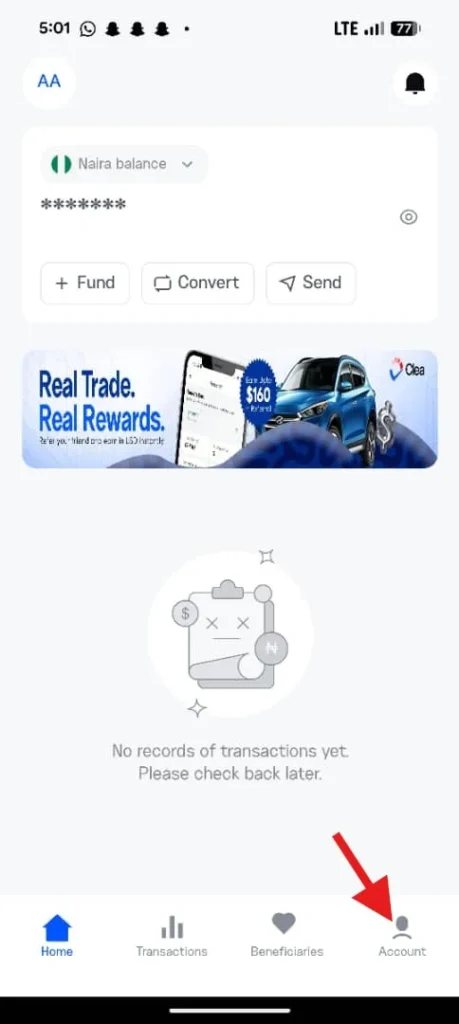
Step 3: Select Account Information
Inside the Account section, tap on Account Information to open your profile details.
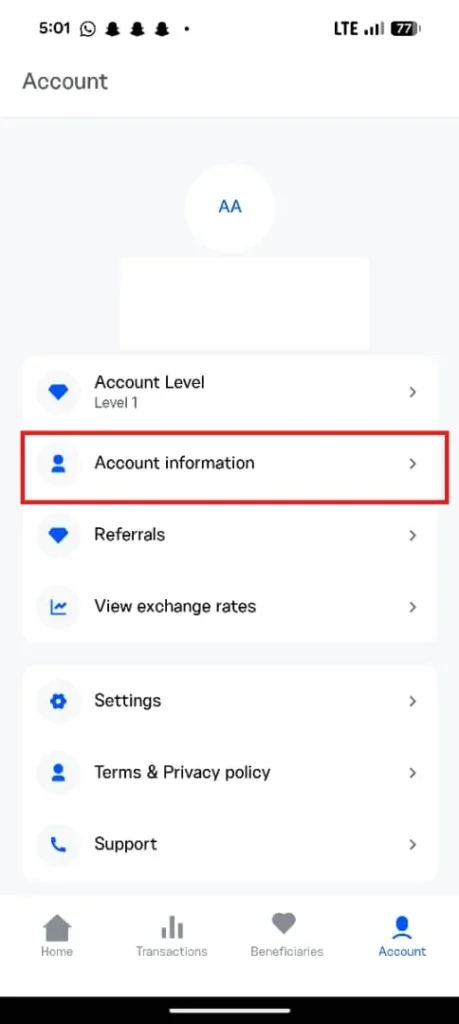
Step 4: View Your Personal Information
Select Personal Information. Here, you’ll see your verification status, which indicates whether your account is verified or if your verification is still pending.
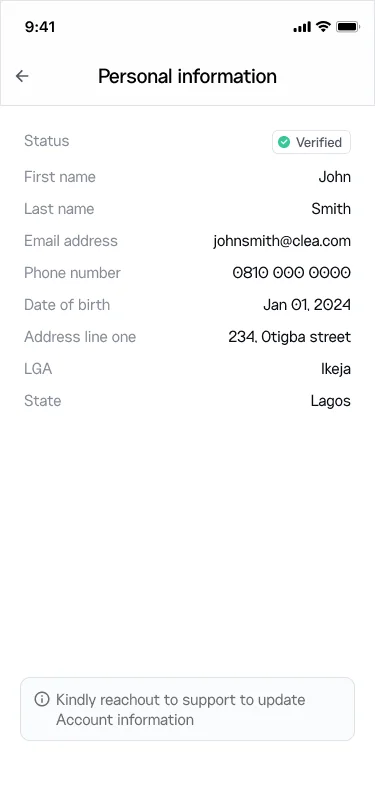
Checking Your Transfer Limit on Mobile
To view your daily, weekly, and monthly transfer limits:
- Go back to Account Information.
- Select Transfer Limit.
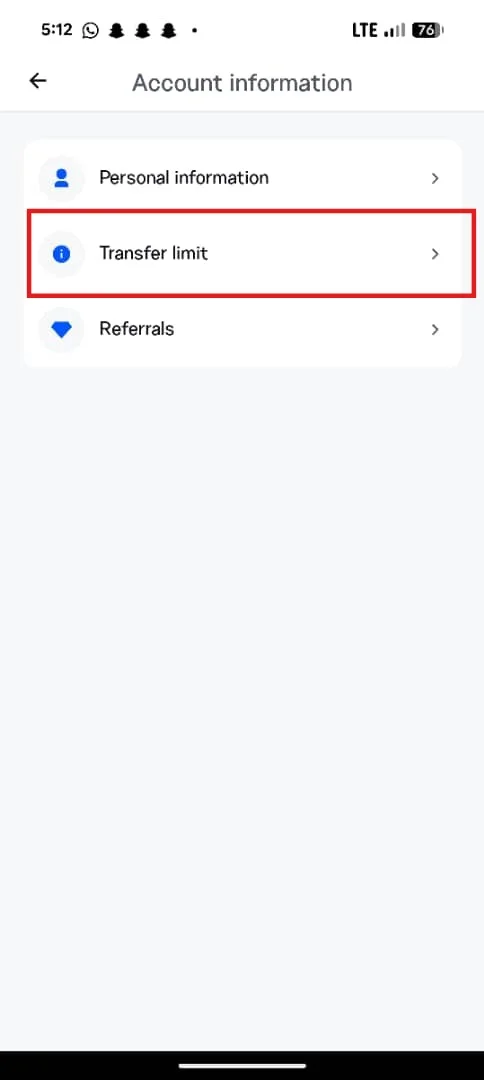
- Review your transfer limits across daily, weekly, and monthly periods.
This breakdown helps you understand exactly how much you can send within each timeframe.
How to View Your Verification Status and Transaction Limits on the Web
If you prefer using Clea on a desktop or laptop, here’s how to check your verification status and account limits on the web.
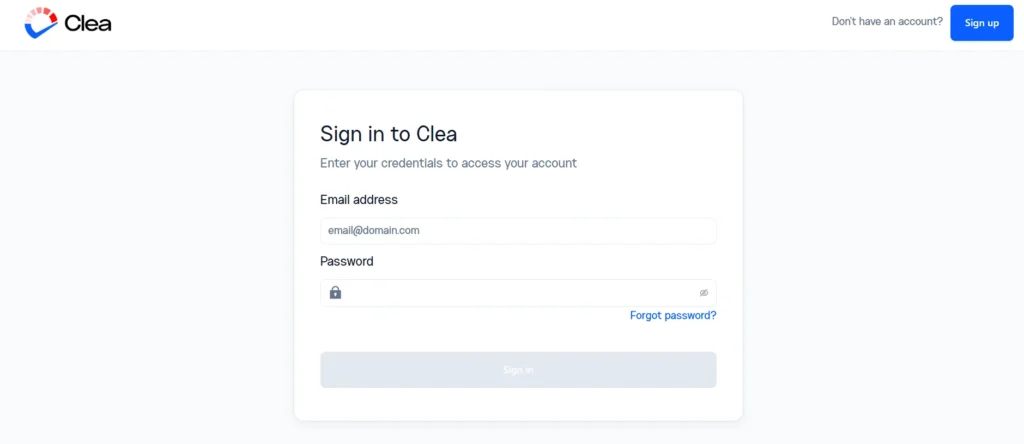
Step 1: Log In to Clea on the Web
Visit the Clea website and sign in to your account.
Step 2: Open the Account Menu
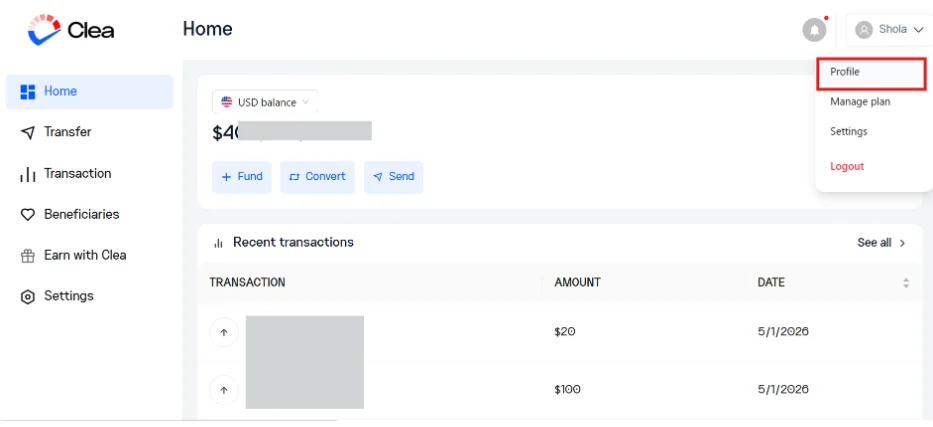
On the top right-hand side of the screen, click on your name to reveal a dropdown menu.
Step 3: Go to Profile
From the dropdown, click on Profile.
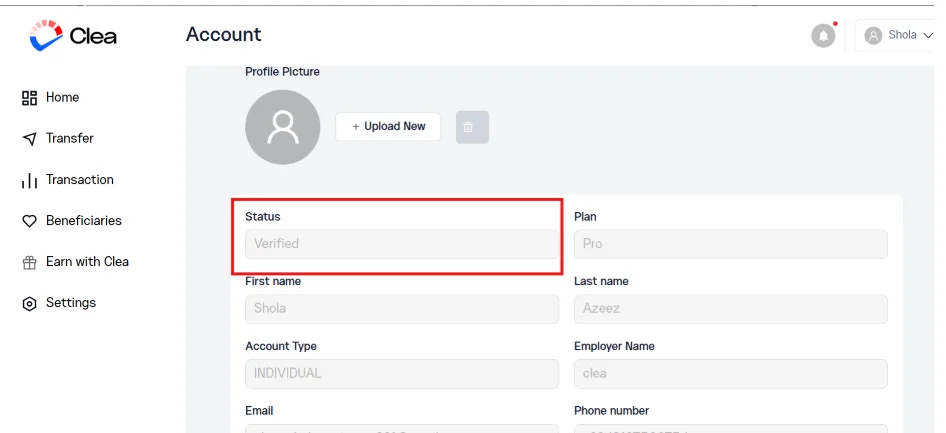
On this page, you’ll see your account verification status, indicating whether your account is verified or pending.
Checking Your Transaction Limits on the Web
Still on the Profile page:
- Select Account Limit.
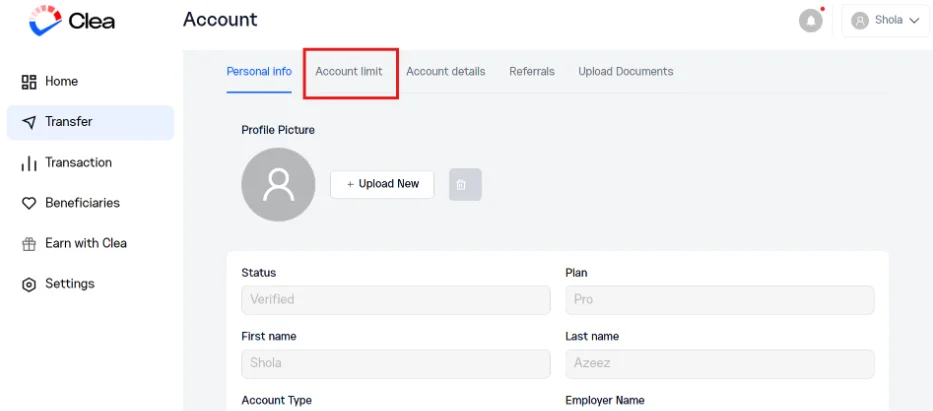
- Review your transaction limits to see how much you can send within each period.
If your current limits don’t meet your needs, consider upgrading to a higher tier to enjoy more flexibility. For a complete walkthrough, read our guide on how to upgrade your transaction limit on Clea.
Frequently Asked Questions
What does a “pending” verification status mean on Clea?
A pending status means your verification documents are still being reviewed. Once approved, your status will update to verified.
Can I send money on Clea if my account is not verified?
You may have limited functionality with an unverified account. Verifying your account unlocks higher limits and full access to Clea’s features.
How often can I check my transfer limits?
You can check your limits anytime through the app or web platform; there are no restrictions on viewing them.
Why are my transfer limits lower than expected?
Limits depend on your account tier. To increase them, you’ll need to upgrade your tier through Clea’s verification process.