
Every importer has a name they vouch for, and if you have ever recommended Clea to another importer over WhatsApp, in a trade group, or during one of those long conversations about who actually moves money on time, this guide on how to find and share your Clea referral code shows you how to turn the recommendations you already make into real US dollar earnings through the Clea Partner Program.
Your Clea referral code is the small piece of text that activates those rewards. Share it once, and every active importer you bring onto Clea earns USD into your wallet automatically, and for as long as they keep transacting on the platform. The walkthrough below covers where to find your code on both the web and the mobile app, how to share it well, and how to read every figure on your partner dashboard so you understand exactly what you are earning and why.
How the Clea Partner Program Rewards You
Before the steps, a quick refresher so the dashboard makes sense later.
The Clea Partner Program rewards existing Clea users in US dollars when they bring other importers onto the platform. There are two ways to earn. First, when someone signs up with your Clea referral code, completes verification, and makes their first successful payment, you receive an activation bonus. Second, you earn a percentage of every qualifying USD payment that a user sends through Clea, capped at $160 per referred user.
This reward lands in your Clea USD wallet, ready to spend. You can use them to pay a supplier, settle a shipping agent, send to car auction platforms, pay for transaction fees, or fund the next leg of an active trade.
How to Find and Share Your Clea Referral Code on the Web
If you handle most of your Clea activity from a desktop or laptop, follow these steps.
Step 1:
Go to tryclea.com and sign in to your Clea account.

Step 2:
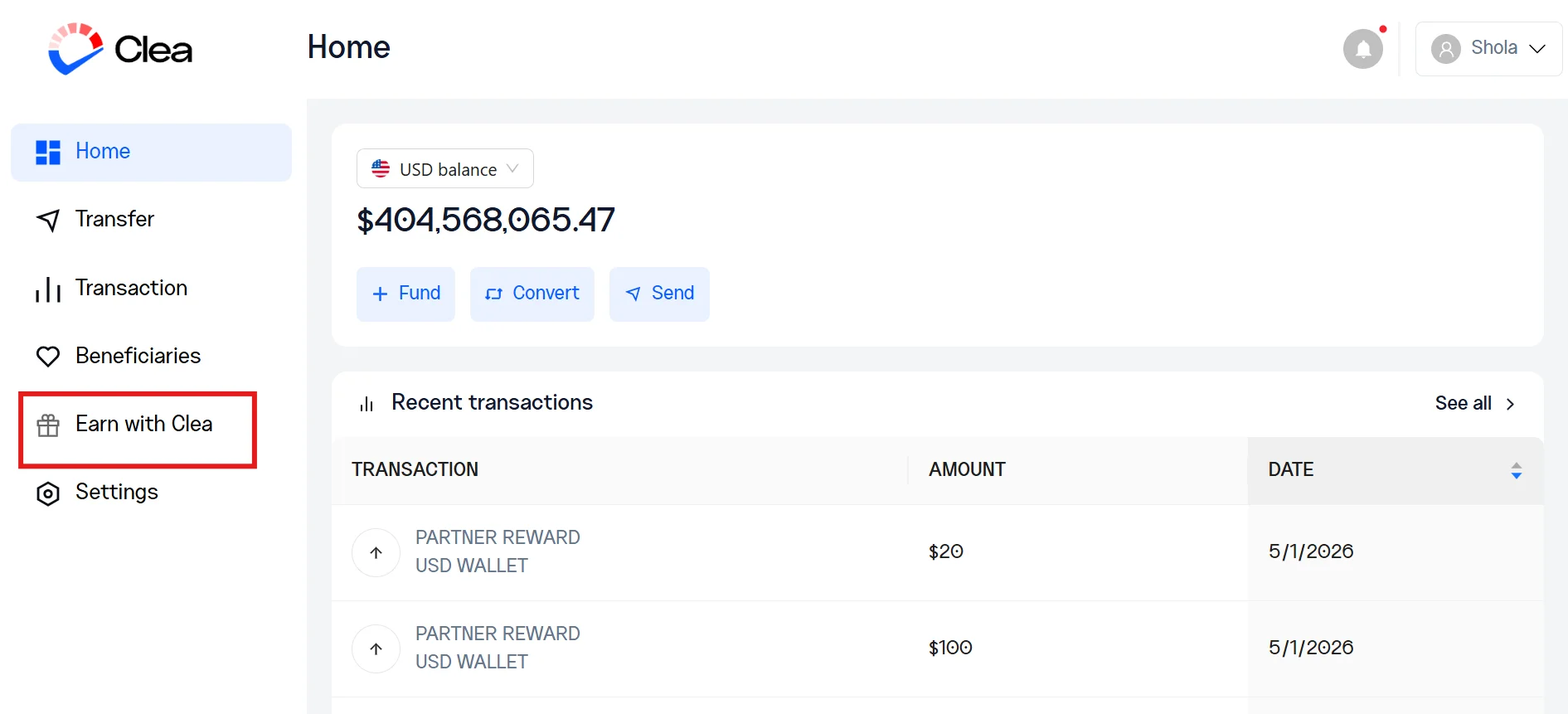
On the left-hand menu, click Earn with Clea. This opens your dashboard, where your unique referral code is.
Step 3:
Your referral code is displayed at the top of the page. You can copy it directly and paste it anywhere, like in a WhatsApp chat, a voice note caption, or an email to someone in your network.
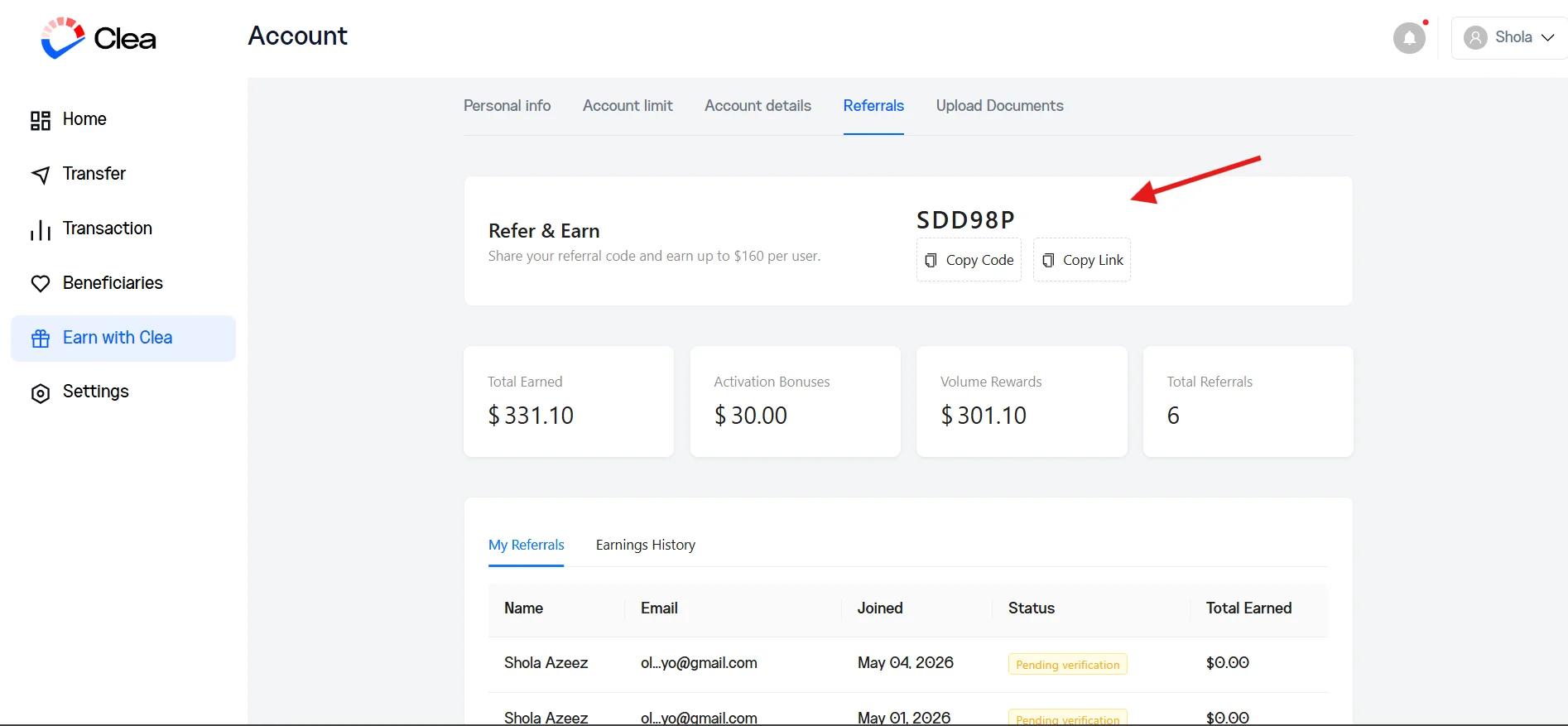
To send a link instead, click Copy Link. The link takes the person straight to the Clea sign-up page with your code already attached, so they do not need to type anything in.
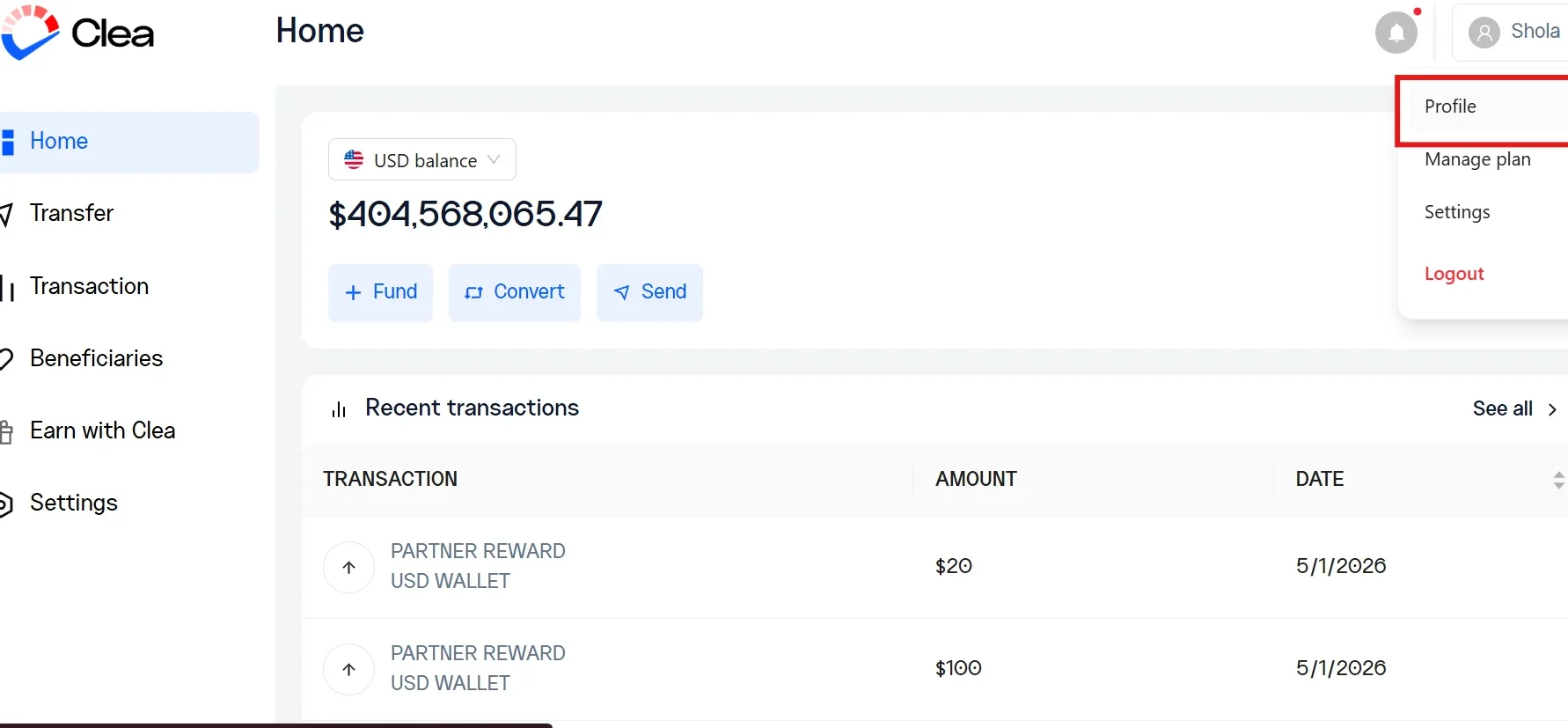
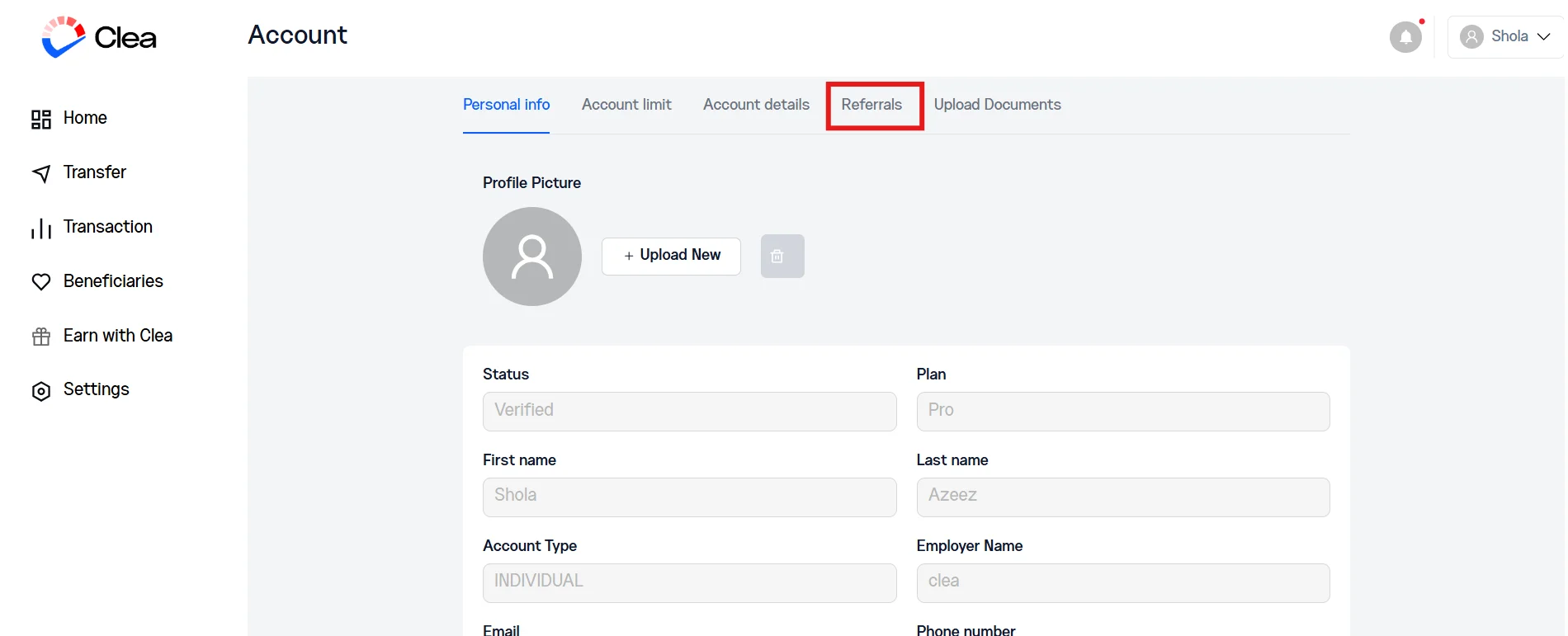
An alternative way to access the dashboard on the web is to click on your name on the left-hand menu, select Profile.
Then open the Referrals tab.
Use whichever route fits the way you already move around the dashboard.
How to Find Your Clea Referral Code on the App
If you run your business mostly from your phone, here is how to access your code in seconds.
Step 1:
Open the Clea app and sign in.
Step 2:
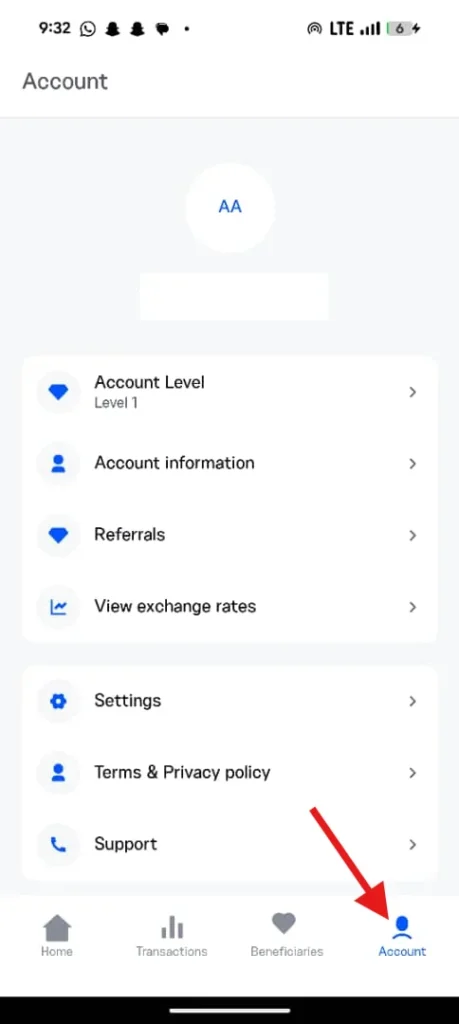
Tap the Account section.
Step 3:
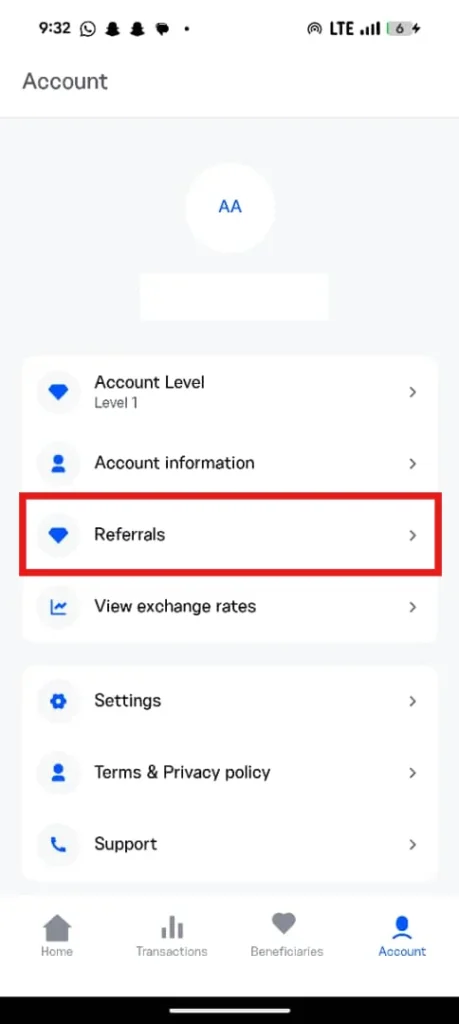
Select Referrals.
Step 4:
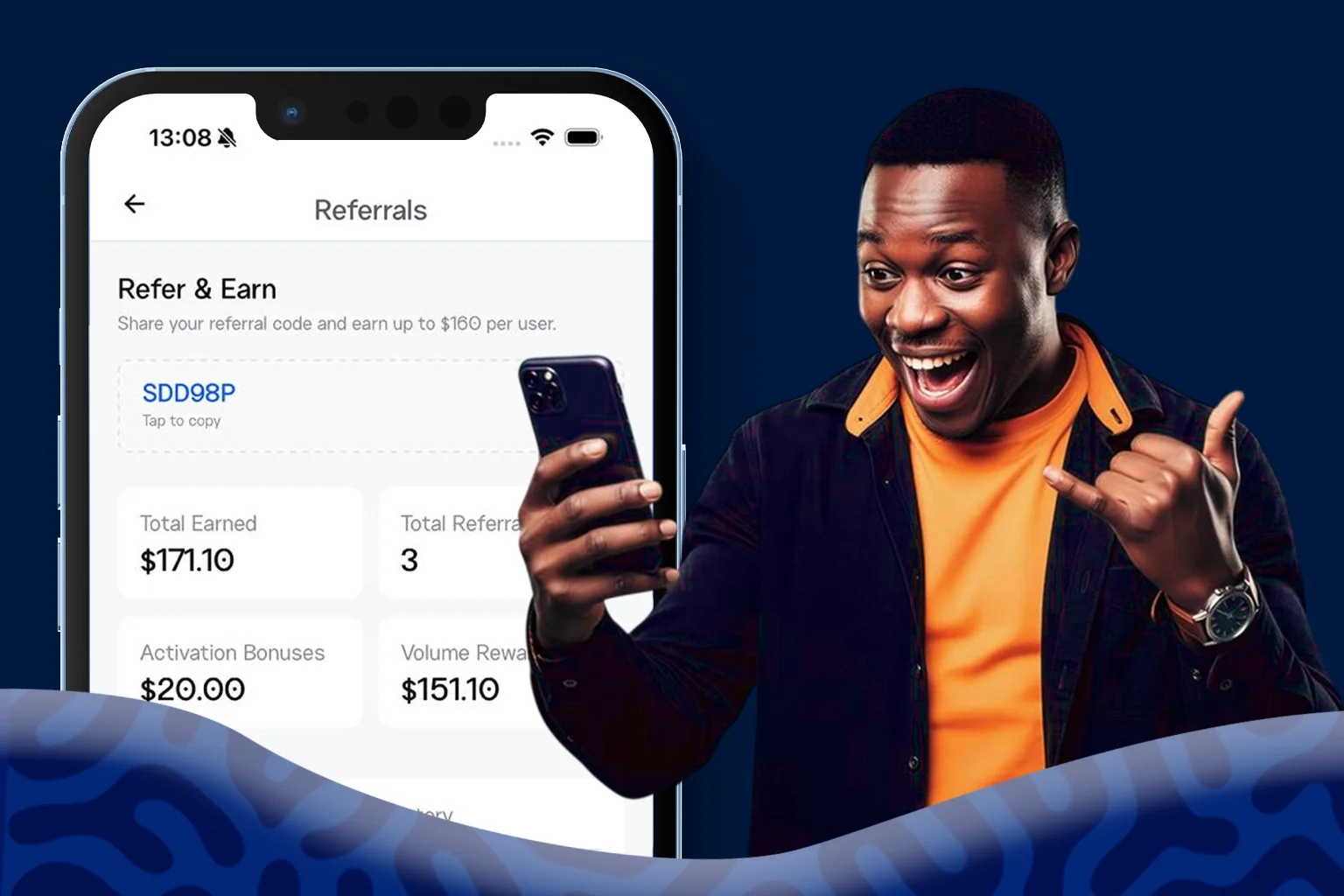
Your referral code appears on the screen. Tap the copy icon or tap the code itself to save it to your clipboard.
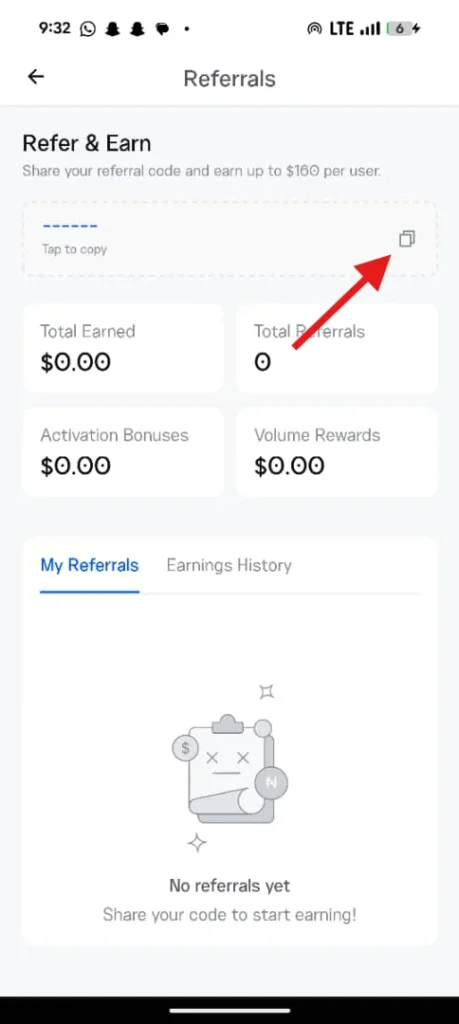
From there, you can paste it and share with your friends or referrals.
Reading Your Partner Dashboard
From the web or app, your dashboard shows you four categories. Knowing what each one means helps you understand how you earn.
Total Referrals: This is the count of people who have signed up using your Clea referral code. Some will already be active. Others may still be moving through verification. The number tells you how wide your reach is.
Volume Rewards: This is what you have earned from the qualifying USD payments your referred users have sent through Clea. It increases every time someone you brought on makes a payment.
Activation Bonuses: This is the one-time amount credited to you when a referred user completes verification and makes their first successful payment. Each new active user adds to this figure once.
Total Earned: The sum of your volume rewards and activation bonuses. This is the figure that has hit your Clea USD wallet through the partner program.
If you have a high referral count with low total earnings, it usually means people are signing up but not yet moving money. A steady volume rewards number means your referred users are active and making transactions regularly.
Tracking Earnings History and Referral Status
Beyond the headline numbers, your dashboard gives you two more views worth checking now and then.
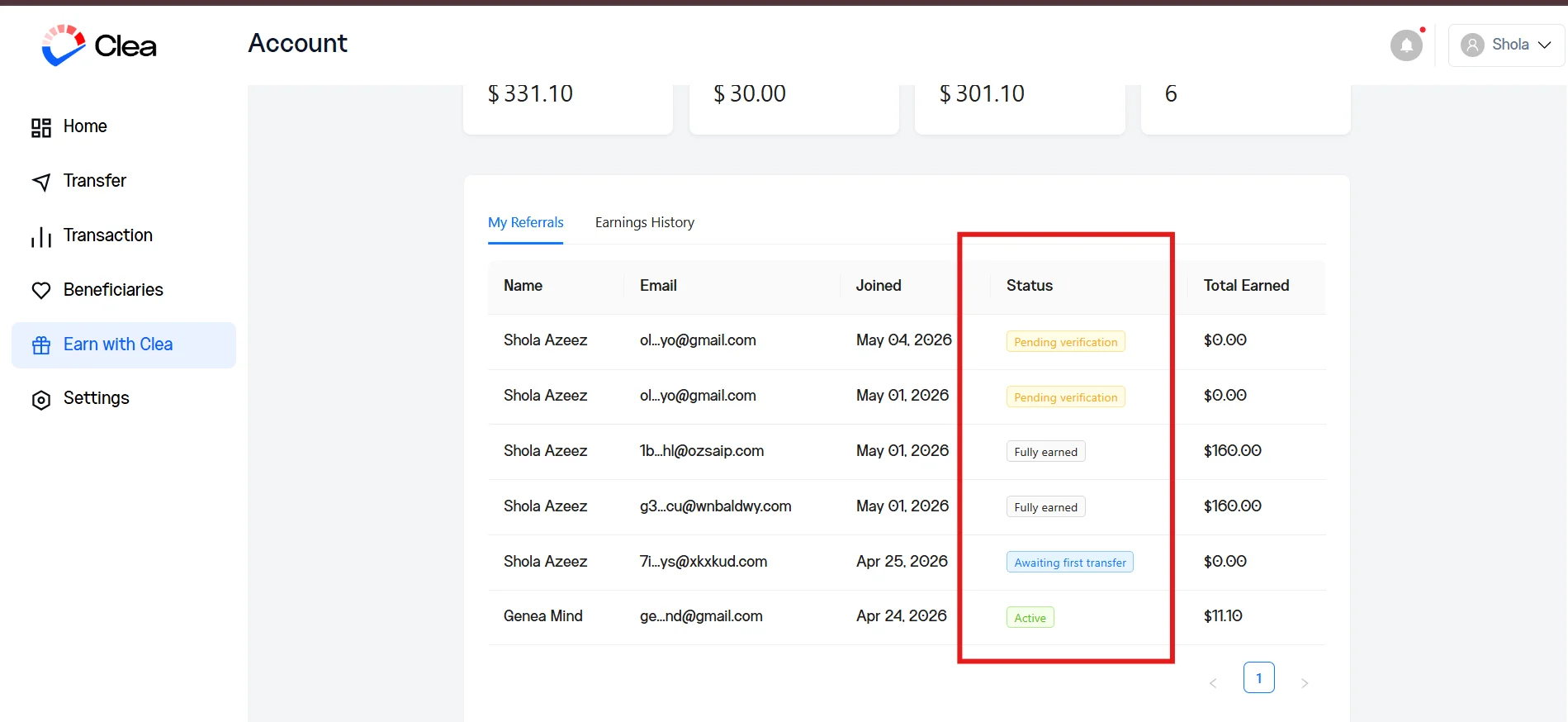
Earnings history: shows you what you earned from each referred user, broken down by transfer or activation bonus. If you want to see exactly which payment from which person was added to your wallet, this is where to confirm. It is also useful when you want to know which contacts in your network are most active.
Referral status: tells you where each person you brought on currently sits. Some accounts will show as verified. Others may be marked pending verification, meaning they signed up but have not completed the KYC step. A few may show that they have not yet sent a first payment. This is the easiest way to know who needs a quick nudge: a friendly message reminding them to complete verification, or to schedule that first transaction they were planning anyway.
Tips for Sharing Your Clea Referral Code
Sharing a referral code is not the same thing as sending a code. The best way to earn the most through the Clea Partner Program is to do a few things consistently.
- Send your referral code with context. A line like “This is the platform I use to pay my supplier in dollars, sign up with this code, and the first payment is smoother on both ends“ converts far better than dropping a code into a chat with no explanation.
- Use the referral link, not just the code. A direct link removes the friction of typing.
- Follow up after the introduction. Reach out the next day to find out if they have completed their verification. This can move people from sign-up to active.
Frequently Asked Questions
Is the Clea Partner Program free to join?
Yes. Every verified Clea user is automatically eligible. There is no application or fee. Your referral code is already in your dashboard, ready to share.
When do I get paid through the Clea Partner Program?
You earn an activation bonus when your referred user completes verification and makes their first successful payment. After that, you earn a percentage of every qualifying USD payment they send through Clea, up to $160 per referred user, which you can find in your USD wallet.
Can I withdraw my earnings to my personal account?
No. The earnings are credited to your USD wallet. You can use them to pay a supplier, settle a shipping agent, send to an auction platform, or cover any other payment you would normally fund through Clea.
My friend signed up, but I don’t see them on my dashboard. What happened?
The most common reason is that your code was not entered during sign-up. Ask the person you referred to confirm they used your code or your referral link. If they signed up without it, the system has no way to connect them to you. Linking a referral after the fact is not currently possible, so it is worth checking with anyone you refer right after they create their account.
What does pending verification mean on my referral dashboard?
It means the person signed up using your code but has not yet completed their verification on Clea. They will not count toward your activation bonuses until they finish the KYC step and send their first payment.
Is there a limit to how many people I can refer?
There is no cap on how many people you can bring onto Clea.
Can I refer myself with a second account?
No. The Clea Partner Program is built for genuine introductions to other importers. Creating a second account to refer yourself violates the program terms and may forfeit any earnings linked to that referral. Each referred user must be a separate person with their own verification.
What happens if my referred user stops using Clea?
You keep whatever you have already earned. Your future earnings from that user simply pause until they start sending payments again.
Does my Clea referral code expire?
Your referral code does not expire. It stays linked to your account for as long as you are a Clea user, so you can keep sharing it without worrying about generating a new one.